
Features
| Brand | Dell |
|---|---|
| RAM | 16 GB |
| ROM | 256GB |
| Processor Type | intel corei7 |
| Generation | 10th Gen |
| Screen size | 15.6 inch |
| Screen resolution | Full HD (1920×1080) |
| Operating System | Window 11 Pro |
| Touch Screen? | No |
| Camera | HD (720p) |
| Storage type | SSD |
| Graphic Card | No |
| Condition | Used |
Description
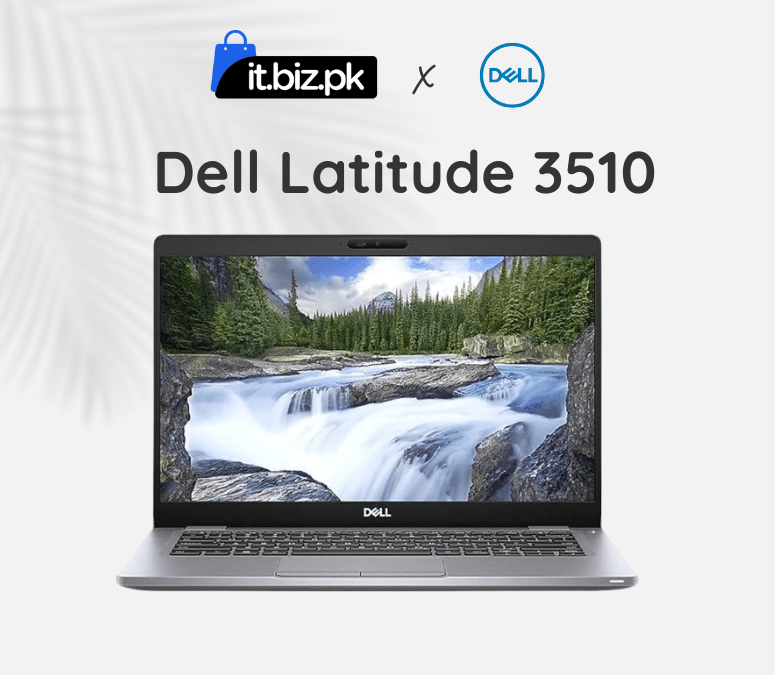
The Dell Latitude 3510 is a reliable business-class laptop designed for users who need strong performance and durability. Featuring an Intel Core i7 10th Gen processor and 16GB RAM, it delivers excellent speed for office work, multitasking, and professional applications.Its larger display and solid keyboard make long working hours comfortable.
Design:
Dell Latitude 3510 laptop comes with a sleek and professional design, perfect for students and business users in Pakistan.The Dell Latitude 15 comes in a sleek black design with a strong, durable body that’s built to handle everyday use and outdoor work.The Dell Latitude 15 features a full-sized keyboard for easy typing and a smooth, responsive touchpad for effortless navigation.The 15.6-inch screen gives clear and sharp visuals in HD or Full HD, with anti-glare technology for comfortable viewing.
Dell Laptop Price in Pakistan:
The Dell Latitude 3510 is a reliable and affordable laptop in Pakistan, perfect for students, professionals, and home users. Its price changes depending on the processor, RAM, and storage, so you can pick the model that fits your needs. With fast SSD storage and Intel processors, it works smoothly for everyday tasks, office work, and online learning. It is durable, fast, and easy to carry, making it great for daily use. Overall, the Dell Latitude 3510 offers excellent value for money and is one of the best choices when checking the Dell latest laptop price in Pakistan.
Key features:
Performance:
Powered by Intel Core i7 processors, the Dell Latitude 3510 delivers smooth performance for everyday tasks like office work, web browsing, online meetings, and light multimedia editing. With 16GB RAM and 256GB SSD storage, it handles multitasking easily and provides fast access to files and applications. Its powerful processor, ample memory, and fast storage make the Dell Latitude 3510 a best choice for students, professionals, and home users who need reliable and efficient performance. Check the Dell latest laptop price in Pakistan to choose the model that fits your needs.
Storage and memory:
The Dell Latitude 3510 features 16GB DDR4 RAM and 256GB SSD storage for smooth multitasking and fast performance. The RAM can be upgraded for even better speed, while the SSD ensures quick boot times and easy file access. This makes it a perfect laptop for students, professionals, and home users who want a reliable and fast laptop. Check the Dell latest laptop price in Pakistan to choose the right model for your needs.
Used Laptops:
Buying a used or refurbished Dell Latitude 3510 with a 15.6-inch screen is a good option for budget-conscious buyers in Pakistan. A well-maintained used laptop can offer reliable performance at a lower price. Always check the battery, screen, keyboard, RAM, ROM, processor type, and overall performance before buying to ensure it works smoothly. You can compare the Dell Latitude 3510 with other laptops to find the best used laptop price in Pakistan. Check the Dell latest laptop price in Pakistan to get the model that fits your needs.
Why you choose Dell Latitude 3510:
The Dell Latitude 3510 is a reliable and affordable laptop for students, professionals, and home users in Pakistan. It has a 15.6-inch HD or Full HD screen, a built-in webcam for online meetings, and a long-life battery for all-day use. With Intel Core processors, 16GB RAM, and 256GB SSD storage, it runs tasks smoothly and handles multitasking easily. The laptop is portable, durable, and perfect for work, study, or entertainment. Whether buying new or checking the used laptop price in Pakistan, the Dell Latitude 3510 offers excellent value for money.
Frequently Asked questions:
How to check battery health of Dell Latitude 3510 ?
opening Command Prompt, typing powercfg /batteryreport.
How to check specs of a Dell Latitude 3510?
Press Windows + R, type dxdiag, and press Enter to view.
How to check wifi password inDell Latitude 3510?
Windows + R, type ncpa.cpl, open your Wi‑Fi network properties, go to Security, and tick Show characters.
For more tech accessories visit here

Reviews
There are no reviews yet.