
Features
| Brand | Dell |
|---|---|
| RAM | 8GB |
| ROM | 512 GB |
| Processor Type | Core i5 |
| Generation | 11th Gen |
| Screen Size | 15.6 inch |
| Screen resolution | Full HD (1920 x 1080) |
| Operating System | Window 11 |
| Touch screen | No |
| Camera | HD (720p) |
| Storage type | SSD |
| Graphic card | Yes |
| Condition | Used |
Description
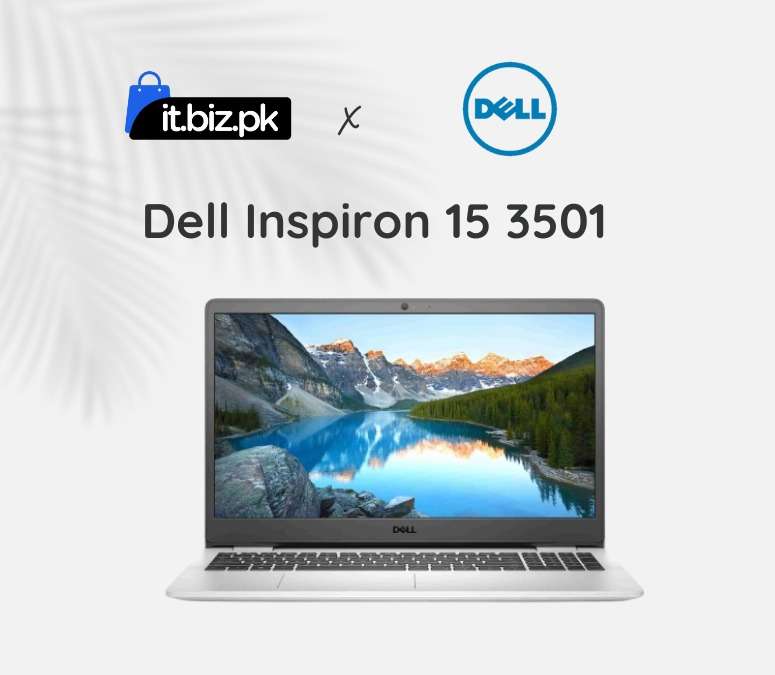
The Dell Inspiron 15 3501 is a versatile 15.6-inch laptop designed to handle everyday tasks with ease, making it ideal for students, professionals, and casual users alike. Powered by Intel 10th or 11th Gen Core processors and up to 16GB of RAM, it delivers smooth performance for multitasking, office work, and media consumption. Its Full HD anti-glare display offers crisp visuals, while the integrated Intel UHD or optional NVIDIA graphics provide reliable performance for light gaming and creative projects. With fast SSD storage, Wi-Fi connectivity, and an HD webcam, the Inspiron 15 3501 ensures productivity, seamless communication, and convenience whether at home, in class, or at the office. Lightweight yet durable, this laptop combines performance and portability, making it a dependable choice for daily computing needs.
Design:
The Dell Inspiron 15 3501 features a durable plastic chassis with a matte finish, available in black or silver. Its 15.6″ display has relatively narrow bezels, while the full-size keyboard with numeric keypad and spacious touchpad ensures comfortable typing. Lightweight and portable, it includes rubber feet for stability and airflow, making it practical for everyday use.
Dell laptop price in Pakistan:
Dell laptops in Pakistan offer options for students, professionals, and everyday users, with prices varying by specs and condition. The Inspiron 15 3501 ranges from PKR 83,500 for entry-level Core i3 models to PKR 158,000 for higher-end Core i7 variants, while the Latitude 5320 typically costs PKR 62,000–115,000 depending on configuration and whether it’s new or used.
Key Features:
Performance:
The Dell Inspiron 15 3501 offers reliable performance for everyday tasks, powered by Intel 10th/11th Gen Core processors, up to 16 GB RAM, and fast SSD storage. Its integrated or optional NVIDIA graphics handle casual gaming, media, and multitasking smoothly.
Storage and Memory:
The Dell Inspiron 15 3501 comes with flexible storage and memory options to suit different needs. You can configure it with up to 16 GB of RAM for smooth multitasking, and it supports fast SSD storage (256 GB, 512 GB, or larger) for quick boot times and responsive performance. Some configurations also include larger HDD options for extra file space, giving you a balance of speed and capacity for apps, documents, photos, and media.
Used laptops:
Explore our range of used laptops, carefully tested and refurbished to deliver reliable performance at an affordable price. Each device comes with functional hardware, pre-installed software, and checked battery life, ensuring smooth multitasking, browsing, and productivity. From everyday laptops for students and office work to high-performance models for gaming and creative tasks, our used laptops provide quality and value, making them a smart choice for budget-conscious buyers.
Why you choose Dell Inspiron 15 3501?
TheDell Inspiron 15 3501 is designed for professionals and business users who need a compact, reliable, and high-performance laptop for work on the go. With 11th Gen Intel Core processors, fast SSD storage, long battery life, and robust connectivity options like Thunderbolt 4 and Wi‑Fi 6, it is ideal for office work, remote meetings, and multitasking. Students, entrepreneurs, and corporate employees who value portability, productivity, and professional-grade features will find the Inspiron 15 3501 a smart and dependable choice.
Frequently Asked questions:
How to check Dell Inspiron 15 3501 specification?
Inspiron 15 3501 specifications by pressing Windows + R, typing msinfo32, and viewing the system details.
How to rotate Inspiron 15 3501 screen?
Press Ctrl + Alt + Arrow key or go to Settings System Display Display orientation.
How to screen record on Inspiron 15 3501 ?
Press Windows + G, then click the Record .
For more tech products visit here
Reviews
There are no reviews yet.