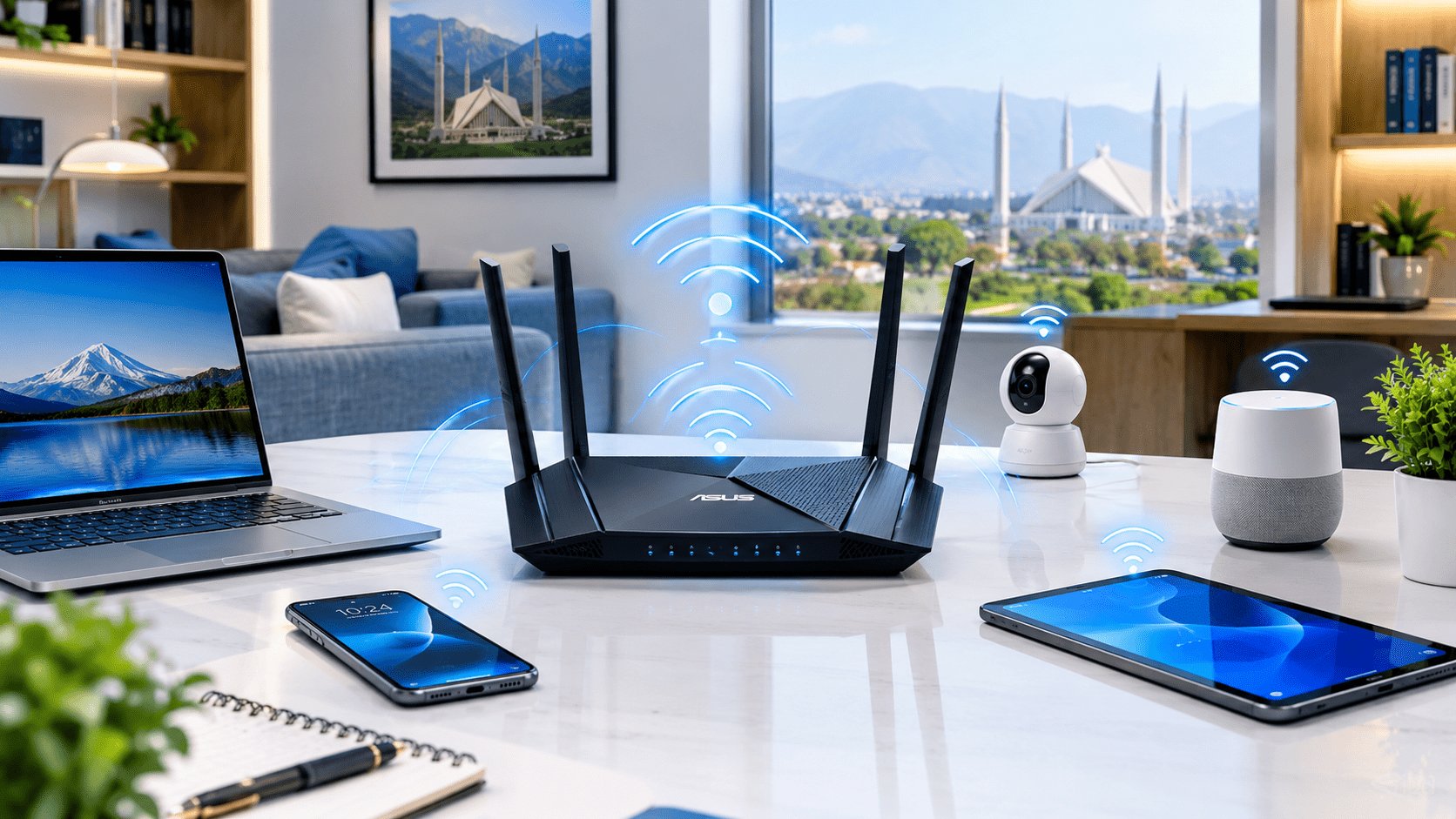
A good internet connection can still feel slow when your router is outdated. That is why checking the WiFi Router Price in Pakistan is only the first step—you also need to consider coverage, WiFi generation, speed, number of connected devices, security, and whether you need a standard home router or a professional wireless solution.
In Pakistan, WiFi routers are available across a wide price range. Basic models can work well for a small home, while dual-band WiFi 6 routers, mesh systems, and business-grade devices are better suited to larger homes, offices, schools, and high-device environments.
If you are looking for a WiFi router low price in Pakistan, the best choice is not necessarily the cheapest model. A slightly better router can provide stronger coverage, more stable connections, better security, and longer useful life.
WiFi Router Price in Pakistan: What Should You Expect?
The WiFi Router price in Pakistan depends mainly on wireless standard, speed class, antennas, coverage, ports, processor, security features, and brand.
As a general buying guide:
| Router Type | Typical Use | Relative Price |
|---|---|---|
| Basic single-band router | Small home, light browsing | Low |
| Dual-band router | Home streaming and multiple devices | Low–Medium |
| WiFi 6 router | Gaming, streaming, busy homes | Medium |
| Mesh WiFi system | Large homes and multiple floors | Medium–High |
| Business access point/router | Offices and commercial environments | High |
| Ubiquiti professional solution | Enterprise, P2P and managed networks | High |
Actual prices change with model, stock, warranty, specifications, and market conditions. For current products and availability, you can browse the WiFi & Wireless category at IT.Biz.pk.
How to Choose a WiFi Router in Pakistan
Buying a router becomes easier when you focus on your actual internet usage instead of choosing a model only because it has a high Mbps number.
1. Check Your Internet Speed
If your internet package is relatively modest, you may not need an expensive enterprise router.
However, the router should have enough capacity for your current connection and future upgrades. A router with Gigabit Ethernet ports is particularly useful if you have a fast fiber connection.
2. Choose Dual-Band WiFi for Most Homes
Modern dual-band routers normally provide both 2.4 GHz and 5 GHz wireless networks.
2.4 GHz generally offers better range and can work well through walls, while 5 GHz usually provides higher wireless performance at shorter distances.
For most modern households, dual-band is a much better choice than buying an outdated single-band router simply to save money.
3. Consider WiFi 6
If you have many smartphones, laptops, smart TVs, cameras, gaming consoles, or IoT devices, WiFi 6 can be a worthwhile upgrade.
WiFi 6 is designed to handle busy wireless environments more efficiently. It can improve network performance when several compatible devices are connected at the same time.
WiFi Router Low Price in Pakistan: Is Cheap Always Better?
Searching for a WiFi router low price in Pakistan is understandable, especially for a basic home setup.
The problem comes when a very inexpensive router has limited hardware, outdated wireless technology, weak coverage, or poor firmware support.
A cheap router may appear attractive initially but create problems such as:
- Weak signal in distant rooms
- Frequent disconnections
- Slow performance with multiple users
- Limited Ethernet speed
- Poor wireless coverage
- Fewer security features
- Difficulty handling high-speed internet
A better approach is to compare price against features and expected usage.
If you only need internet for a few phones and a laptop in a small apartment, an entry-level router may be perfectly adequate. If your household has many devices and heavy streaming, spending more on a capable dual-band or WiFi 6 model can make more sense.
WiFi Router Ubiquiti: When Should You Choose It?
Ubiquiti is well known for networking products used in homes, offices, businesses, wireless networks, and larger deployments.
A WiFi Router Ubiquiti solution can be appropriate when network management, scalability, wireless coverage, and professional control are more important than simply finding the lowest price.
Ubiquiti’s networking ecosystem can be particularly useful for:
- Offices
- Schools and universities
- Hotels
- Restaurants
- Warehouses
- Multi-floor buildings
- Professional wireless networks
- Managed network environments
For a simple home internet connection, however, a conventional consumer router may be easier and more economical.
Ubiquiti GPON Routers and Fiber Internet
Fiber connectivity has changed the way many Pakistani homes and businesses think about networking.
Ubiquiti GPON routers and related fiber networking solutions can become relevant when a network requires more advanced infrastructure and fiber integration.
It is important to understand that a router and an optical network terminal are not always the same thing. Your ISP may provide an ONT/ONU that converts the fiber connection into Ethernet. Your own router can then manage the local network.
Before purchasing a GPON-capable device, check:
- ISP compatibility
- GPON/optical specifications
- Authentication requirements
- Fiber connector requirements
- VLAN configuration
- Ethernet port speeds
- Management features
This prevents an expensive device from becoming incompatible with your particular fiber service.
WiFi Router P2P: What Does P2P Mean?
The term WiFi Router P2P can refer to wireless point-to-point networking, where two locations are connected using dedicated wireless equipment.
For example, imagine two buildings separated by a distance where running physical Ethernet or fiber is difficult. A properly designed wireless P2P link can connect the locations.
This is different from normal home WiFi.
A home router broadcasts WiFi around a property, while a P2P wireless system is generally designed to create a dedicated link between two points.
For professional point-to-point wireless equipment, you can also explore the wireless PTP radio solutions at IPPBX.com.pk.
Router vs Access Point: What’s the Difference?
This is a common question when comparing networking equipment.
A router connects your local network to another network, usually the internet, and can provide functions such as DHCP, NAT, firewall protection, and wireless connectivity.
An access point primarily provides wireless connectivity to an existing wired network.
For example:
Internet → Router → Ethernet → Access Point → WiFi Devices
This setup can be useful in offices or large buildings where one router cannot provide sufficient wireless coverage.
What Makes a Good WiFi Router?
A good router should match your internet connection and the environment where it will be installed.
Look for features such as:
- Dual-band WiFi
- WiFi 5 or WiFi 6
- Gigabit Ethernet
- WPA2/WPA3 security
- Good antenna design
- Guest WiFi
- Parental controls where appropriate
- Quality-of-service features
- Firmware updates
- Easy management
- Sufficient coverage
For businesses, additional features such as VLAN support, centralized management, multiple SSIDs, VPN capabilities, monitoring, and advanced security can become more important.
How to Change Your WiFi Router Password
Your WiFi router password protects your wireless network from unauthorized connections.
The exact procedure depends on the router brand, but the general process is:
- Connect your phone or computer to the router.
- Open the router’s administration interface.
- Sign in using the administrator credentials.
- Open Wireless, WiFi, or Security settings.
- Find the WiFi password/security-key field.
- Set a strong new password.
- Save the configuration.
- Reconnect your devices using the new password.
Do not confuse the WiFi password with the router administrator password. They protect different things.
A strong wireless password should be difficult to guess and should not be reused across important accounts.
Best WiFi Router Brands in Pakistan
The right brand depends on your budget and network requirements.
Commonly considered networking brands include:
- TP-Link
- Tenda
- D-Link
- Mercusys
- ASUS
- MikroTik
- Ubiquiti
- Huawei
- ZTE
- Netgear
The model is usually more important than the brand name alone. Two routers from the same manufacturer can target completely different users.
For example, an entry-level home router and a professional managed wireless system should not be compared simply because they carry the same brand.
WiFi Router Comparison: Which Type Is Right for You?
For a Small Home
Choose a reasonably priced dual-band router if you have:
- A few smartphones
- One or two laptops
- Basic streaming
- A small coverage area
You don’t necessarily need an expensive enterprise device.
For a Large Home
Consider a more powerful router or mesh WiFi system if you have:
- Multiple floors
- Thick walls
- Many connected devices
- Dead zones
- Heavy streaming
Mesh systems can use multiple nodes to extend wireless coverage more effectively across larger properties.
For an Office
An office may need more than a single consumer router.
Consider:
- Multiple access points
- Centralized management
- Guest WiFi
- VLANs
- Better security
- Gigabit or faster wired networking
- Reliable coverage
For Building-to-Building Connectivity
A normal WiFi router may not be the correct solution.
For a wireless link between buildings, investigate dedicated P2P/PTP radios designed for directional wireless communication.
Why Router Placement Matters
Even an excellent router cannot overcome every physical limitation.
Walls, floors, concrete, metal structures, appliances, and interference can reduce wireless performance.
For better coverage:
- Place the router in a relatively central location.
- Keep it elevated where practical.
- Avoid enclosing it inside cabinets.
- Keep it away from major sources of interference.
- Position antennas according to the manufacturer’s recommendations.
- Use additional access points or mesh nodes when necessary.
This is a simple example of the FAB approach: focus on the feature, explain the advantage, and connect it to the real benefit for the buyer.
Common WiFi Router Problems in Pakistan
A router upgrade may help when your existing device suffers from:
Problem: WiFi becomes slow when several users connect.
Possible reason: Limited hardware or an outdated wireless standard.
Problem: Signal disappears in another room.
Possible reason: Distance, walls, interference, or poor router placement.
Problem: Internet works on Ethernet but WiFi is unreliable.
Possible reason: Wireless configuration, interference, firmware, or hardware limitations.
Problem: Your fiber package is fast but devices don’t achieve similar speeds.
Possible reason: Router ports, wireless standard, client device, network configuration, or environmental conditions.
This is where the PAS approach matters: identify the problem, explain why it happens, and present the appropriate networking solution rather than automatically recommending the most expensive router.
How Much Should You Spend on a WiFi Router?
There is no single ideal router budget for everyone.
Instead, consider:
Internet speed + number of users + coverage area + device count + required features + future needs
For a small home, a basic dual-band router may be enough.
For a busy household, a WiFi 6 model can provide better long-term value.
For an office or professional deployment, spending more on managed networking equipment can reduce operational problems later.
This is why the best WiFi Router Price in Pakistan is really the price of the right solution for your specific network.
Key Takeaways
- Don’t choose a router based on price alone.
- Dual-band WiFi is a practical choice for most modern homes.
- WiFi 6 is useful for busy networks with many compatible devices.
- Check Ethernet port speeds when using high-speed fiber.
- Ubiquiti is worth considering for professional and managed networks.
- Ubiquiti GPON solutions require careful ISP compatibility checks.
- P2P wireless equipment is different from ordinary home WiFi.
- A WiFi password should be strong and unique.
- Router placement can significantly affect wireless coverage.
- For larger properties, mesh WiFi or additional access points may be better than one powerful router.
- Always compare the exact model, specifications, warranty, and availability before buying.
Frequently Asked Questions
What is the WiFi Router Price in Pakistan?
The price varies significantly according to the router’s wireless generation, speed, coverage, ports, features, and brand. Basic home routers cost much less than WiFi 6, mesh, enterprise, and professional Ubiquiti networking solutions.
Which WiFi router is best for home use in Pakistan?
For most homes, a reliable dual-band router is a good starting point. If the home has many devices, high-speed fiber internet, or heavy streaming and gaming, consider a WiFi 6 router or mesh system.
Is Ubiquiti a good WiFi router brand?
Yes. Ubiquiti is widely used for professional and managed networking environments. Its products can be particularly suitable for offices, schools, businesses, and larger wireless deployments, although they may be more advanced than necessary for a basic home network.
How can I change my WiFi router password?
Connect to your router, sign in to its administration interface, open the wireless/security settings, change the WiFi password, and save the configuration. The exact menu names vary by manufacturer.
Is a P2P WiFi router the same as a normal home router?
No. A P2P wireless setup normally refers to a dedicated point-to-point connection between two locations. It is commonly used for building-to-building connectivity and requires appropriate directional wireless equipment.
Find the Right WiFi Router in Pakistan
Whether you need a budget-friendly home router, a high-performance WiFi 6 device, professional wireless equipment, or a business networking solution, choosing the right hardware starts with understanding your network requirements.
For current product options and availability, visit IT.Biz.pk and compare available networking equipment before making your purchase.
Need help selecting the right router? Contact our team with your internet speed, approximate coverage area, number of connected devices, and intended use. We can help you identify the networking category that fits your requirements.
Contact Us
Website: it.biz.pk
Email: [email protected]
WhatsApp: 03306246232