
Wireless Bridge & Antenna Price in Pakistan
Point-to-point links and antennas from Ubiquiti airMAX and airFiber.
Products
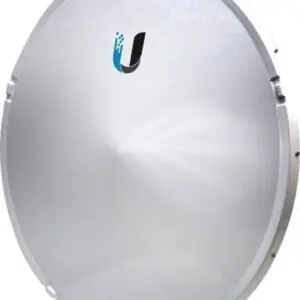
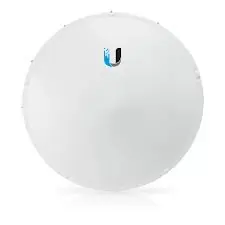
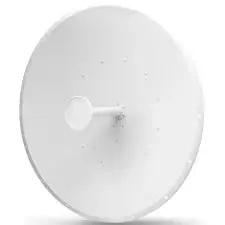
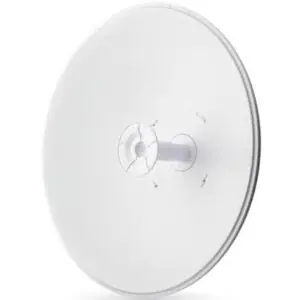
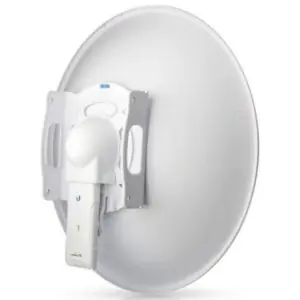
Wireless bridges and antennas are useful networking devices for connecting buildings, extending internet coverage and creating long-distance wireless links. They are commonly used in offices, factories, schools, warehouses, farms and internet service provider networks.
If you want to connect two buildings without installing long network cables, a wireless bridge can be a practical solution. Outdoor antennas also help improve wireless signal strength and coverage in suitable network setups.
At IT.BIZ.PK, you can explore wireless networking products from popular brands and compare different models according to your requirements and budget.
Latest Wireless Bridge & Antenna Price in Pakistan
The wireless bridge and antenna price in Pakistan depends on the brand, frequency, antenna gain, wireless speed, coverage range and supported features. Basic outdoor CPE devices are suitable for simple wireless links, while professional wireless bridges and high-gain antennas are designed for longer distances and demanding network environments. Some popular options include TP-Link CPE210, TP-Link CPE510, TP-Link CPE610, TP-Link CPE710, Tenda O3, Tenda O8 and Ubiquiti LiteBeam.Types of Wireless Bridges and Antennas
1. Point-to-Point Wireless Bridges
A point-to-point (PtP) wireless bridge connects two separate locations through a wireless link. It usually requires one device at each location, aligned towards each other. Businesses use these devices to connect offices, warehouses, buildings and remote locations. They can reduce the need for long Ethernet or fibre cable installations. Before choosing a PtP bridge, check its supported distance, throughput, frequency and line-of-sight requirements.2. Point-to-Multipoint Wireless Devices
Point-to-multipoint (PtMP) systems connect one central access point to multiple remote devices. Internet service providers and businesses use them to distribute network connectivity to several locations. Sector antennas are commonly used at the central site to provide coverage across a wider area. The correct antenna depends on the required coverage angle, number of clients and network design.3. Outdoor CPE Devices
Outdoor CPE devices are designed to receive or transmit wireless signals outside buildings. They often include a built-in directional antenna and weather-resistant housing. Popular models include TP-Link CPE210, CPE220, CPE510, CPE610 and CPE710. They can support outdoor wireless links, depending on the model and installation conditions.4. Directional Antennas
Directional antennas focus wireless signals in a particular direction. They are useful for connecting distant locations and improving signal performance along a specific wireless path. Dish, panel and other directional antenna designs are available. Antenna gain, measured in dBi, helps describe how strongly an antenna focuses radio energy in a direction.5. Sector Antennas
Sector antennas provide wireless coverage across a selected angle. They are often used by wireless internet providers to serve multiple customers from one tower or rooftop. Common coverage angles include 60, 90 and 120 degrees. Select an antenna according to your coverage area and compatible radio equipment.6. Wireless Bridge Kits
Wireless bridge kits usually include two compatible devices designed to establish a connection between two locations. They can make installation easier because the devices are selected to work together. Before purchasing, confirm whether the package includes one device or a complete pair. Also check the power adapters, mounting hardware and Ethernet cables.Popular Wireless Bridge and Antenna Brands in Pakistan
TP-Link
TP-Link offers outdoor CPE and wireless networking products for different budgets. Its CPE210, CPE220, CPE510, CPE610 and CPE710 models are common choices for outdoor wireless connections.Ubiquiti
Ubiquiti is popular for professional outdoor wireless networking. Its LiteBeam, NanoStation, PowerBeam and airMAX products are used in point-to-point and point-to-multipoint installations.Tenda
Tenda offers outdoor CPE products such as O3 and O8. These devices are used for outdoor wireless connections and selected long-distance networking applications.Ruijie
Ruijie provides outdoor wireless bridges, CPE devices and sector antennas. Its AirMetro and EST series offer options for wireless links and network distribution.How to Choose the Right Wireless Bridge or Antenna
Choosing the right device is important for stable network performance. Consider these factors before purchasing.1. Check the Required Distance
First, measure the distance between the locations you want to connect. A short link may need a basic outdoor CPE, while a longer link may require a higher-gain device. Do not select a device based only on its advertised maximum range. Actual performance depends on installation height, interference, obstacles and environmental conditions.2. Consider Frequency
Many outdoor wireless devices operate on 2.4GHz or 5GHz bands. The 2.4GHz band can offer useful coverage, while 5GHz devices often provide more channel options and can be suitable for higher-capacity links. Check local frequency regulations and available channels before installation.3. Check Antenna Gain
Antenna gain is measured in dBi. Directional antennas with higher gain focus the signal more strongly in a particular direction. However, higher gain does not automatically mean better performance for every installation. Choose an antenna based on distance, coverage angle and network design.4. Look for Weather Protection
Outdoor devices face rain, dust, heat and wind. Choose equipment with suitable weather protection and a strong outdoor enclosure. Check the product's IP rating and operating temperature range before installing it outside.5. Check Speed and Ethernet Ports
Compare the supported wireless speed and Ethernet port capacity. A Gigabit Ethernet port may be important for higher-throughput connections. Remember that advertised wireless speed is not the same as guaranteed real-world internet speed.6. Confirm Compatibility
Make sure both ends of a wireless bridge can communicate with each other. Check supported frequency bands, wireless standards, operating modes and management features. Using compatible devices can make installation and network management easier.Uses of Wireless Bridges and Outdoor Antennas
Wireless bridges and antennas support many networking applications, including:- Connecting two office buildings.
- Sharing internet between nearby buildings.
- Connecting warehouses and industrial sites.
- Extending network connectivity to farms.
- Linking CCTV cameras to a central monitoring location.
- Providing wireless connectivity for schools and campuses.
- Supporting wireless internet service provider networks.
- Connecting remote business locations.