
Desktop Price in Pakistan
Business towers, All-in-One PCs and workstations from Dell, HP, Lenovo and Acer.
Products
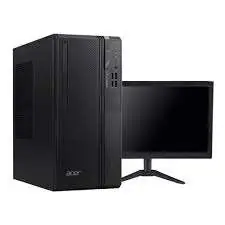
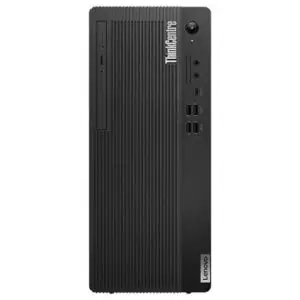
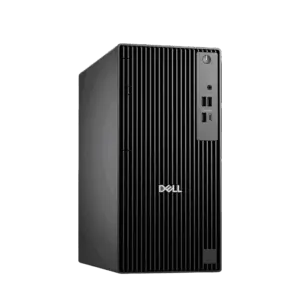
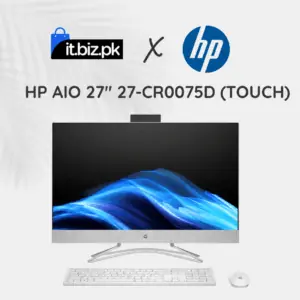
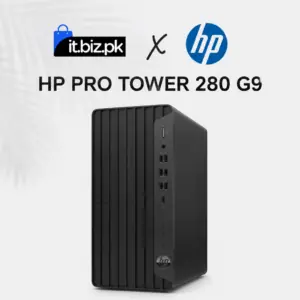
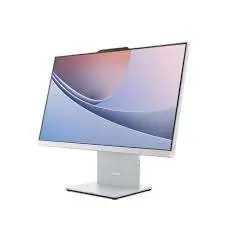
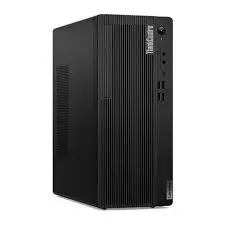
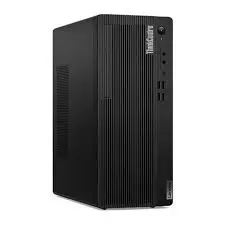
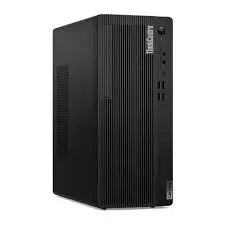
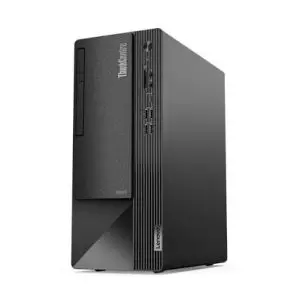
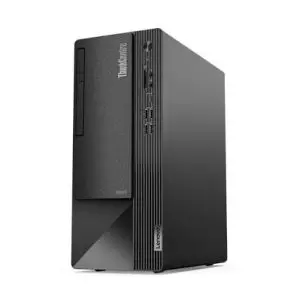
Finding the right desktop computer is important for work, study, business and entertainment. A desktop PC offers reliable performance, upgrade options and comfortable use for daily tasks. Whether you need a computer for an office, school, shop, home or gaming setup, there are many options available in Pakistan.
The desktop price in Pakistan depends on the processor, RAM, storage, graphics card, brand and warranty. You can choose an affordable office computer or a powerful desktop for professional work and gaming.
At IT.BIZ.PK, you can explore different computer options and compare their specifications before making a purchase.
Desktop Computer Price in Pakistan
Desktop computers are available in different price ranges. Basic systems are suitable for simple office tasks, while advanced models offer better performance for multitasking, design and gaming. Here are some factors that affect desktop computer prices:- Processor: Intel Core i3, i5, i7, Core Ultra and AMD Ryzen processors have different performance levels.
- RAM: More RAM helps you run multiple applications smoothly.
- Storage: SSD storage improves startup speed and application loading.
- Graphics card: Dedicated graphics are useful for gaming, video editing and design.
- Brand and warranty: Genuine products with official warranties may cost more.
Popular Desktop Computer Brands in Pakistan
Several international brands offer desktop computers for home, office and professional use.HP Desktop Computers
HP desktops are popular for business and personal use. The company offers reliable computers with different processor options and storage capacities. Popular HP desktop series include HP Pro Tower, HP EliteDesk, HP ProDesk and HP Victus. These computers can support office applications, online meetings, business software and other daily tasks.Dell Desktop Computers
Dell desktops are known for their business-focused designs and reliable performance. Dell OptiPlex and Dell Vostro computers are suitable for offices, educational institutions and professional workplaces. You can find different configurations with Intel Core processors, SSD storage and upgrade options.Lenovo Desktop Computers
Lenovo offers desktop computers for home users, students and businesses. Its ThinkCentre series is designed for professional environments, while IdeaCentre models are suitable for everyday home use. Lenovo desktops offer different processor, memory and storage options to match different budgets.Apple Desktop Computers
Apple provides powerful desktop systems for creative professionals and users who prefer macOS. The Mac mini and iMac are popular choices. The Mac mini offers a compact design, while the iMac combines the computer and display in one system.Types of Desktop Computers
Before checking the desktop PC price in Pakistan, understand the main types available in the market.1. Tower Desktop Computers
Tower desktops are common in homes and offices. They have a separate computer case that contains the processor, motherboard, RAM, storage and other components. They are useful because users can upgrade several components when required.2. All-in-One Desktop Computers
All-in-One PCs combine the computer hardware and monitor in one unit. They save desk space and provide a clean workspace. They are suitable for reception areas, offices, schools and home users who prefer a simple setup.3. Mini PCs
Mini PCs are small computers that take up very little space. Despite their compact size, many models offer enough performance for office work, browsing and entertainment. They are a good option for users who need a small and energy-efficient computer.4. Gaming Desktop Computers
Gaming desktops are designed for demanding games and graphics-intensive applications. They usually include powerful processors, dedicated graphics cards, higher RAM capacity and better cooling systems. They are also useful for video editing, 3D design and other professional tasks.Which Desktop Specifications Should You Choose?
Choosing the right specifications can help you get better value for your money.Processor
The processor controls how quickly your computer handles tasks. Intel Core i3 and entry-level AMD Ryzen processors can work well for basic activities. Core i5 and Ryzen 5 systems are suitable for multitasking and business applications. For demanding professional work, consider Core i7, Core Ultra or Ryzen 7 processors.RAM
RAM helps your computer manage multiple applications.- 8GB RAM: Basic office work and browsing.
- 16GB RAM: Multitasking, business software and general productivity.
- 32GB RAM: Video editing, design and demanding applications.
Storage
An SSD makes a desktop computer faster and more responsive than a traditional hard drive. A 256GB SSD may be enough for basic use, while 512GB or 1TB SSD storage provides more space for applications and files.Graphics Card
Integrated graphics are suitable for everyday office tasks, videos and browsing. However, gaming, 3D modelling and professional video editing may require a dedicated graphics card. Choose a graphics card according to the software and games you plan to use.How to Choose the Best Desktop PC in Pakistan
Consider these points before purchasing a desktop computer.- Understand your needs: Decide whether you need the computer for office work, education, business, gaming or professional design.
- Set your budget: Compare models within your budget and focus on useful specifications.
- Check the processor: Choose a processor that can handle your regular applications.
- Choose enough RAM: Consider 16GB RAM if you frequently work with several applications.
- Prefer SSD storage: SSDs offer faster performance and better everyday responsiveness.
- Check upgrade options: Make sure the computer supports future RAM and storage upgrades if needed.
- Confirm warranty: Check whether the product comes with an official manufacturer warranty or a local seller warranty.
- Check included accessories: Confirm whether the monitor, keyboard and mouse are included.
Desktop Computer for Office and Business Use
A desktop computer can improve productivity in offices, schools, shops and other workplaces. Businesses often use desktop PCs for accounting, data entry, customer support, communication and daily operations. For basic office work, an Intel Core i3 or equivalent system with an SSD can be sufficient. For multitasking and business software, an Intel Core i5 system with 16GB RAM is a better choice. Dell OptiPlex, HP Pro Tower and Lenovo ThinkCentre are examples of business desktop families worth comparing.Why Buy Desktop Computers from IT.BIZ.PK?
IT.BIZ.PK helps customers explore computer products and compare different technology options in Pakistan. When selecting a desktop, you can compare brands, processor generations, RAM, storage and other important specifications. This makes it easier to identify a system that matches your requirements. Whether you need a desktop for an office, educational institution, home or gaming setup, compare available models carefully before making your final decision.Frequently asked questions
What is the difference between a CPU and a desktop PC?
In Pakistan "CPU" is often used for the system unit (tower). Technically the CPU is the processor inside it; a desktop PC includes the processor, memory, storage and case.
Tower or All-in-One?
Towers are easier to upgrade and repair; All-in-Ones save space and reduce cables.