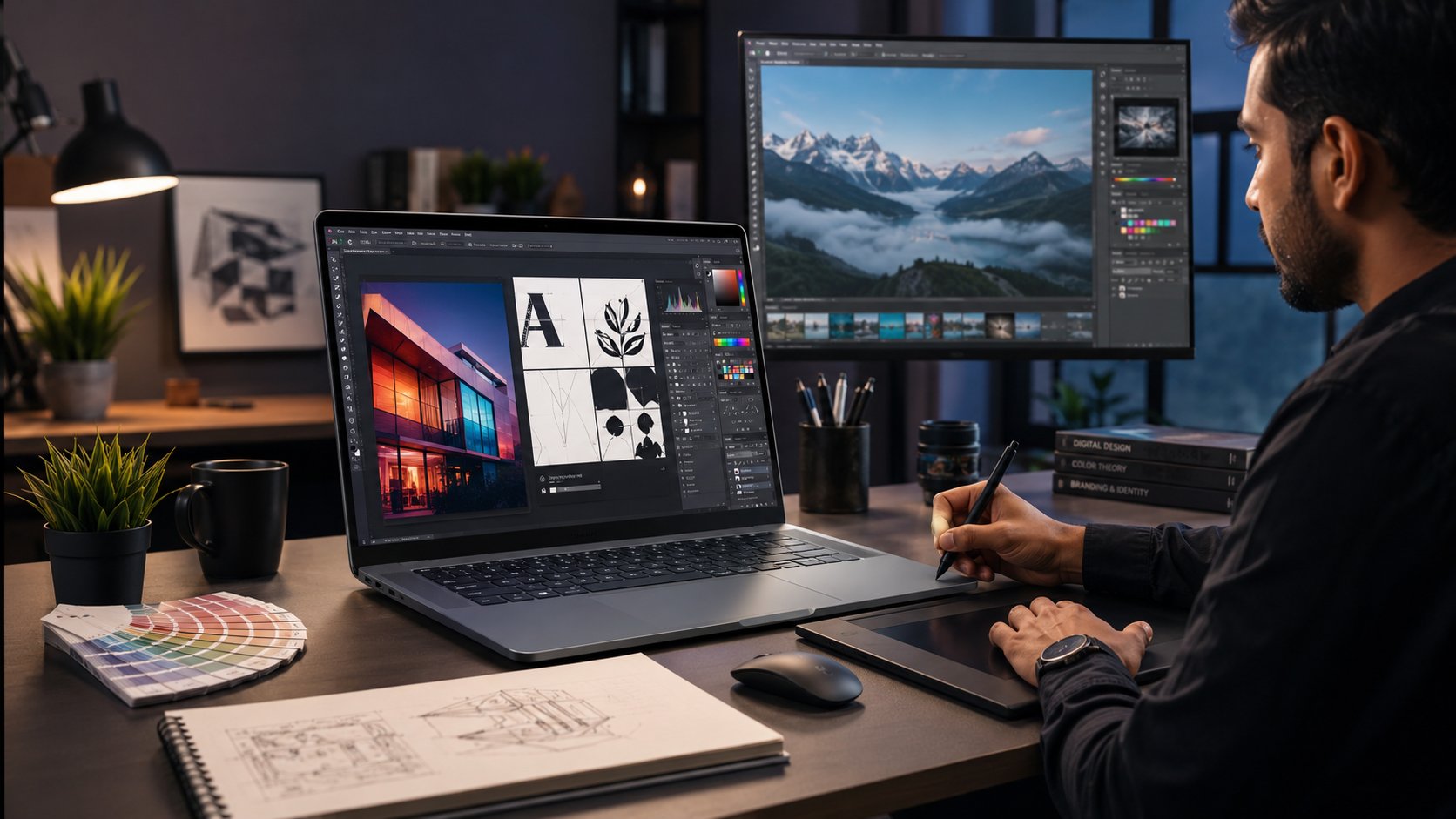
Choosing the Best Laptop for Graphic Designers can be difficult because graphic design requires more than a fast processor. Designers work with applications such as Adobe Photoshop, Illustrator, InDesign, CorelDRAW, Figma, and other creative tools. These programs need enough RAM, fast storage, a good display, and strong overall performance.
Whether you are a student, freelancer, professional designer, or content creator, the right laptop can make your work faster and smoother. On the other hand, choosing a weak laptop may lead to slow performance, software crashes, and poor multitasking.
In this guide, we will explain the most important graphic design laptop requirements, recommended specifications, budget considerations, and how to choose the right machine in Pakistan.
What Makes a Laptop Good for Graphic Design?
A graphic design laptop should provide a good balance between processing power, memory, storage, graphics performance, and display quality. You do not always need the most expensive laptop, but you should avoid choosing a model based only on its price.
A modern Core i5 or Core i7 laptop with sufficient RAM and SSD storage can handle many design tasks comfortably. For professional work, however, a dedicated graphics card can provide better performance, especially when working with large files, 3D projects, animation, and video.
The laptop category at IT.biz.pk includes different models and price ranges, allowing buyers to compare specifications according to their needs and budget.
Graphic Design Laptop Requirements You Should Know
Before buying a laptop, understand the main hardware specifications that affect your workflow.
Processor
The processor controls how quickly your laptop handles tasks. For graphic design, an Intel Core i5, Core i7, AMD Ryzen 5, or Ryzen 7 processor is a good starting point.
For basic Photoshop, Illustrator, and Canva work, a modern mid-range processor is usually enough. However, professional designers working with large projects should consider a more powerful processor.
RAM
RAM is especially important when you open several applications at the same time. A laptop with 16GB RAM is an excellent choice for most graphic designers.
If your work mainly involves basic photo editing and simple designs, 8GB RAM can work. However, 16GB provides more room for multitasking. Professional users working with large Photoshop files, video editing, or 3D applications may benefit from 32GB RAM.
SSD Storage
An SSD can make a noticeable difference in everyday performance. It allows your laptop to start quickly and helps applications and large design files load faster.
For most designers, a 512GB SSD offers a good balance. If you work with many high-resolution images, videos, or project files, consider a 1TB SSD.
Graphics Card
A dedicated GPU is useful for designers who work with advanced graphics, animation, 3D applications, and video editing.
For standard Photoshop and Illustrator projects, integrated graphics on a modern processor may be sufficient. However, a dedicated NVIDIA or AMD graphics card becomes more useful for demanding creative workloads.
Display Quality
Display quality is one of the most important factors for designers. A poor screen can make color selection and image editing difficult.
Look for a laptop with:
- Full HD or higher resolution
- Good color accuracy
- IPS or another quality panel
- Comfortable screen size
- Good brightness
- Wide viewing angles
A 15.6-inch display can provide a comfortable workspace, while a 14-inch model can be easier to carry.
What Is the Best Laptop for Graphic Designers in Pakistan?
The Best laptop for graphic designers in Pakistan depends on your workload and budget. There is no single laptop that works perfectly for every designer.
For students and beginners, a modern Core i5 or Ryzen 5 laptop with 8GB or 16GB RAM and an SSD can be a practical choice. Freelancers may prefer 16GB RAM, a stronger processor, and a better display because they often handle multiple client projects.
Professional designers should consider 16GB or 32GB RAM, a powerful processor, dedicated graphics, and a color-accurate display.
IT.biz.pk currently lists a wide range of laptops, including Dell, ASUS, Apple, and other models. The category also includes business and performance-focused laptops, so buyers can compare different options before making a decision.
You can explore the available options here: Laptop Price in Pakistan.
Can You Find the Best Laptop for Graphic Designers Under 50000?
Many buyers search for the Best laptop for graphic designers under 50000, but expectations are important at this price level.
A laptop under PKR 50,000 may be suitable for basic graphic design, Canva, simple Photoshop projects, social media posts, and light photo editing. However, it may not provide the performance required for professional Adobe workloads.
If your budget is limited, prioritize:
- An SSD instead of an old HDD
- At least 8GB RAM where possible
- A decent Full HD display
- A reasonably modern processor
- Upgradeable RAM and storage
Instead of focusing only on the cheapest price, compare the complete specifications.
Is There a Best Laptop for Graphic Designers Under 30000?
Searching for the Best laptop for graphic designers under 30000 is common among students and beginners. At this price, finding a new laptop capable of professional graphic design can be difficult.
You may find older or entry-level devices in this range, but they are better suited to basic tasks such as browsing, documents, online classes, and very light design work.
If you need Photoshop or Illustrator for serious projects, increasing your budget can provide a much better experience. A slightly more expensive laptop with an SSD, better processor, and additional RAM can save you time in the long run.
Best Laptop for Graphic Design and Photo Editing
The Best laptop for graphic design and photo editing should have enough power for both applications and a quality display for accurate image work.
For a balanced setup, consider:
- Core i5/Core i7 or Ryzen 5/Ryzen 7 processor
- 16GB RAM
- 512GB SSD
- Full HD IPS display
- Dedicated graphics for advanced workloads
- Good color reproduction
If you regularly edit RAW photographs or large Photoshop projects, additional RAM and storage can be especially helpful.
Best Budget Laptop for Graphic Design: What Should You Prioritize?
The Best budget laptop for graphic design does not necessarily have to be the cheapest laptop. Instead, look for the best combination of specifications within your budget.
Start with the processor and RAM. Then check the SSD and display. If your work involves only logos, banners, social media graphics, and basic photo editing, you may not need a high-end gaming GPU.
However, if you plan to use Premiere Pro, After Effects, Blender, or other demanding applications, spending more on performance can be worthwhile.
What About the Best Laptop for Graphic Design in Pakistan Under 50000?
The Best laptop for graphic design in Pakistan under 50000 will generally be aimed at beginners rather than professionals.
At this level, consider refurbished or older business-class models if they are available from a reliable seller. Check the battery, display, keyboard, storage health, and overall condition before buying a used laptop.
For professional design work, however, a higher budget will give you access to newer processors, better displays, more RAM, and faster storage.
What Does Reddit Say About the Best Laptop for Graphic Designers?
People searching for the Best laptop for graphic designers Reddit discussions will often find different recommendations because every designer has different needs.
Some users prioritize MacBooks because of their displays, battery life, and creative software experience. Others prefer Windows laptops because they offer more hardware choices and easier upgrade options.
Instead of copying a recommendation from Reddit, compare the actual specifications with your own requirements. A laptop that works perfectly for a professional photographer may be unnecessary for someone who mainly creates social media posts.
How Much Should You Spend on a Graphic Design Laptop?
Your budget should match your workload.
Beginner Designers
Beginners can start with a mid-range laptop featuring 8GB or 16GB RAM, an SSD, and a modern processor. This setup can handle basic design work without requiring a premium machine.
Freelancers
Freelancers should consider 16GB RAM, a good processor, fast SSD storage, and a quality display. Since freelancers often work with multiple clients, reliable multitasking is important.
Professional Designers
Professional designers should consider 16GB or 32GB RAM, a powerful CPU, dedicated graphics, and a color-accurate display. A larger SSD is also useful when working with many projects.
Should Graphic Designers Buy a Gaming Laptop?
A gaming laptop can be an excellent choice for graphic design because many gaming models include powerful processors, dedicated GPUs, high-refresh-rate displays, and strong cooling systems.
However, gaming performance does not automatically mean better color accuracy. Designers should check the screen specifications before buying.
If you want one laptop for both gaming and professional design, look for a model that combines a powerful GPU with a good-quality display.
Final Thoughts
Finding the Best Laptop for Graphic Designers becomes much easier when you understand what your work actually requires. Instead of choosing a laptop only by brand or price, compare its processor, RAM, SSD, graphics card, and display.
For beginners, a modern mid-range laptop can be enough. Freelancers should aim for stronger multitasking performance, while professional designers may need dedicated graphics and higher RAM.
Most importantly, choose a laptop that gives you room to grow. Spending a little more on better hardware today can provide a smoother design experience and extend the useful life of your laptop.
If you are also building a complete workstation or office setup, you can explore other technology categories available on IT.biz.pk, including LED TVs in Pakistan.