Buying a gaming laptop can feel confusing because there are many models, specifications, and price ranges available. A good gaming laptop should deliver strong performance for modern games while also handling everyday tasks such as studying, browsing, streaming, and office work.
This Gaming Laptop Buying Guide explains the most important things to check before buying. From the processor and graphics card to RAM, storage, display, cooling, and battery life, we will cover the key points in simple English.
If you are comparing different laptops, you can also explore the latest laptop collection at IT.Biz.pk to compare available models and specifications.
What Should You Look for in a Gaming Laptop?
The best gaming laptop is not always the most expensive one. Instead, you should choose a model that offers the right balance between performance, features, and price.
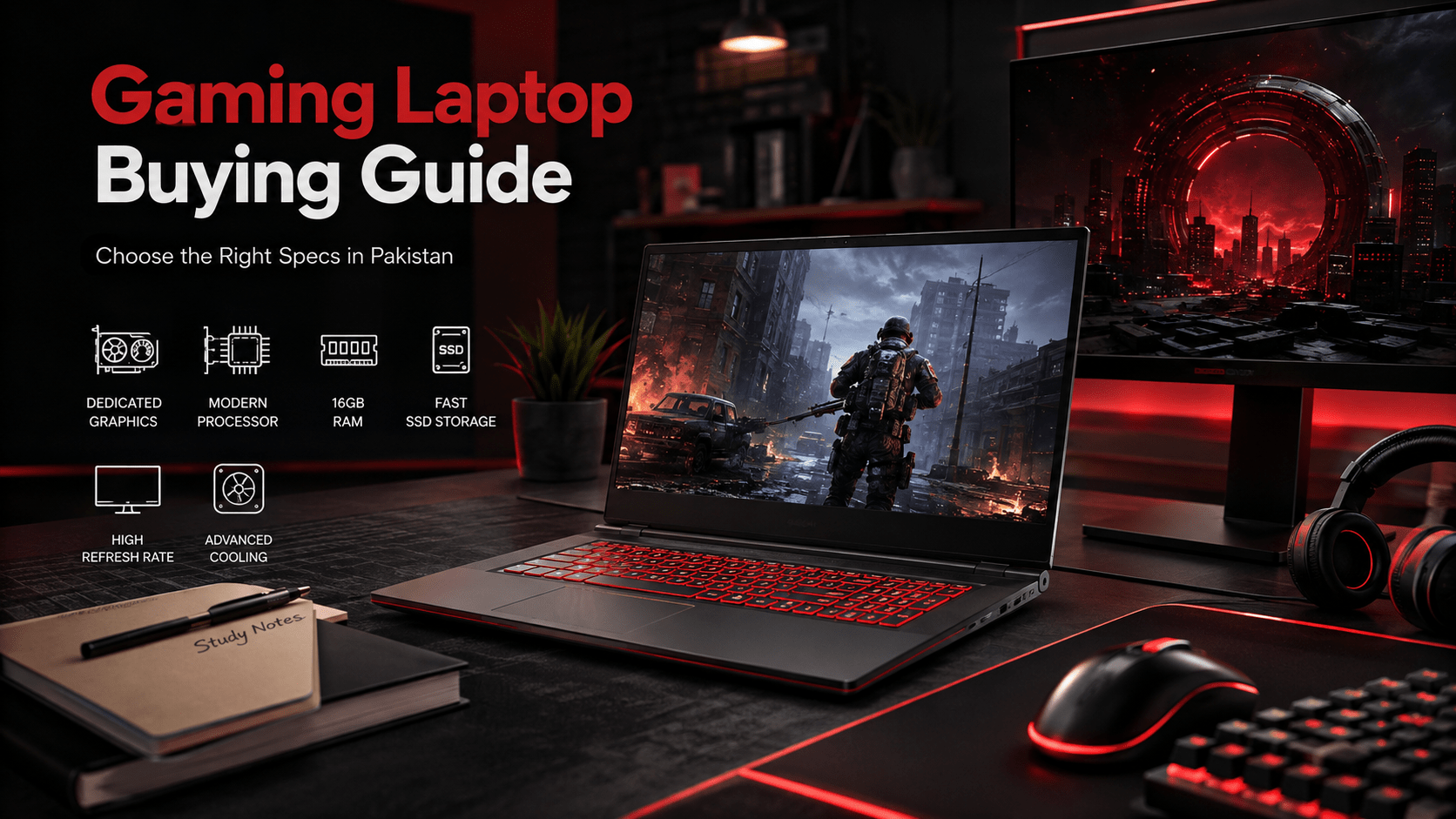
Here are the main specifications you should consider:
- Processor
- Dedicated graphics card
- RAM
- SSD storage
- Display refresh rate
- Cooling system
- Keyboard and build quality
- Battery and power adapter
- Upgrade options
Let’s look at each factor in more detail.
Processor: The Brain of Your Gaming Laptop
The processor plays an important role in gaming performance. Modern Intel Core and AMD Ryzen processors can provide excellent results, but you should consider the exact generation and model rather than looking only at the brand name.
For casual gaming, a modern mid-range processor can be enough. However, demanding games and competitive gaming benefit from a stronger CPU.
When comparing laptop specs for gaming and school, look for a processor that can handle both workloads. A good CPU will allow you to play games, attend online classes, use productivity software, and browse the web without major performance problems.
Minimum Processor Specs
For basic gaming, look for a modern processor with multiple cores and good clock speeds. A current-generation Core i5 or Ryzen 5-class processor is a sensible starting point.
Recommended Processor Specs
For demanding gaming and long-term use, consider a Core i7/Core Ultra 7 or Ryzen 7-class processor, depending on the laptop and graphics card.
Graphics Card Is Extremely Important
The graphics processing unit, or GPU, has a major impact on gaming performance. Unlike basic office laptops, gaming laptops usually include a dedicated graphics card.
If you want to play modern AAA games, a dedicated NVIDIA GeForce RTX or AMD Radeon GPU can provide much better performance than integrated graphics.
Your choice should depend on the games you play and the resolution you want to use. A higher-end GPU can also help with video editing, 3D work, and other graphics-heavy applications.
How Much RAM Do You Need?
RAM allows your laptop to handle multiple applications and game data smoothly.
For modern gaming, 16GB RAM is a strong target for most buyers. It provides enough room for gaming while running applications such as browsers, Discord, music players, or school software.
Minimum RAM for Gaming
8GB can work for lighter games and basic use, but it may limit performance in newer titles. If your budget allows, choose 16GB instead.
Recommended RAM for Gaming
16GB is a practical choice for most gamers. Users who run demanding games, editing software, virtual machines, or professional applications may consider 32GB.
Choose SSD Storage for Faster Performance
Storage affects how quickly your laptop starts, opens applications, and loads games. Modern gaming laptops should ideally use an SSD rather than relying on an old mechanical hard drive.
A 512GB SSD can be a good starting point. However, large modern games can consume significant storage, so a 1TB SSD may be a better choice if your budget allows.
Also check whether the laptop provides an additional storage slot. An upgradeable laptop can save money in the future.
Display and Refresh Rate Matter
Gaming is not only about internal hardware. The display also affects your experience.
A Full HD display remains a practical option for many gamers. However, refresh rate is especially important for fast games. A 120Hz, 144Hz, 165Hz, or higher refresh rate can make movement appear smoother than a standard 60Hz panel.
For competitive games, a higher refresh rate can be particularly useful. Also check brightness, color quality, response time, and panel type before buying.
Cooling Is Essential for Gaming
Gaming puts more load on the processor and graphics card than normal office tasks. Therefore, effective cooling is essential.
A good gaming laptop should have proper ventilation, heat pipes, fans, and a well-designed internal cooling system. Better cooling can help the laptop maintain performance during long gaming sessions.
However, remember that gaming laptops can become warm and their fans can become loud under heavy workloads. This is normal for high-performance portable hardware.
Battery Life and Portability
Gaming laptops usually consume more power than lightweight student laptops because they contain powerful processors and dedicated graphics.
If you mainly use the laptop at home, weight may not be a major concern. But if you carry it to school, university, or work every day, consider its weight and charger size.
For users searching for laptop specs for gaming and school, a balanced model can be a better choice than an extremely powerful and heavy machine.
What Are the Minimum Specs for a Gaming Laptop?
The minimum specs for a gaming laptop depend on the games you want to play. For basic modern gaming, consider:
- Modern Core i5 or Ryzen 5-class processor
- Dedicated entry-level graphics
- 8GB to 16GB RAM
- 512GB SSD
- Full HD display
- Good cooling system
These specifications can handle lighter games and many popular titles at suitable settings. However, demanding AAA games may require significantly stronger hardware.
What Are the Recommended Specs for a Gaming Laptop?
The recommended specs for gaming laptop buyers who want stronger performance include:
- Core i7/Core Ultra 7 or Ryzen 7-class processor
- Modern RTX-class dedicated GPU or equivalent
- 16GB RAM
- 1TB SSD
- 144Hz or higher display
- Effective thermal design
- Upgradeable RAM and storage where possible
You do not necessarily need all of these features. Instead, prioritize the GPU and CPU according to your gaming requirements and budget.
How to Find the Best Affordable Gaming Laptop
Finding the best affordable gaming laptop means spending money where it matters most. Avoid paying extra for features that do not improve your actual gaming experience.
For example, a slightly better GPU can be more useful for gaming than paying a large premium for a higher-resolution display that your hardware cannot fully utilize.
You should also compare several models before making a decision. Check the complete specifications, warranty, upgrade options, cooling system, and current price.
IT.Biz.pk offers laptops along with other technology products. You can visit the IT.Biz.pk shop to explore available products and compare options.
Is a Lenovo Gaming Laptop a Good Choice?
A Lenovo gaming laptop can be a strong option for users who want gaming performance combined with practical features. Lenovo offers different laptop series designed for various budgets and performance requirements.
However, do not choose a laptop based only on its brand. Compare the processor, GPU, RAM, SSD, display, cooling, warranty, and price of the exact model.
The same approach applies when comparing Lenovo with other major laptop brands.
Gaming Laptop Buying Guide Reddit: What Should You Learn?
People often search for a Gaming Laptop Buying Guide Reddit because they want opinions from other gamers. Community discussions can help you discover real-world experiences about thermals, battery life, keyboard quality, durability, and upgrade options.
However, online opinions should not replace checking the actual specifications. A laptop that works well for one gamer may not be suitable for another.
Therefore, use community feedback as an additional source of information and then compare the specifications yourself.
Common Mistakes to Avoid
Many buyers focus only on the processor or GPU and ignore other important details.
Avoid these mistakes:
Buying Based Only on Brand
A famous brand does not automatically mean every model is suitable for gaming.
Choosing Too Little RAM
If you can afford it, 16GB is a safer choice for modern gaming than 8GB.
Ignoring the Display
A powerful GPU paired with a poor display can reduce the overall gaming experience.
Forgetting Upgrade Options
Check whether you can upgrade RAM and storage later.
Ignoring Cooling
High-performance components need proper cooling to maintain stable performance.
Final Thoughts
A smart gaming laptop purchase starts with understanding your actual needs. You do not have to buy the most expensive machine to enjoy gaming. Instead, focus on the processor, dedicated GPU, RAM, SSD, display, cooling, and upgrade options.
For most users, a balanced configuration with a modern processor, dedicated graphics, 16GB RAM, SSD storage, and a high-refresh-rate display provides a strong combination of gaming and everyday performance.
Whether you are a student, professional, or dedicated gamer, compare several gaming laptops before making your final choice. Start by checking current models and prices on IT.Biz.pk and use the specifications in this guide to find the laptop that best matches your budget and gaming needs.
Frequently Asked Questions
What is the most important specification in a gaming laptop?
The GPU is one of the most important specifications because it has a major effect on gaming performance.
Is 16GB RAM enough for gaming?
Yes, 16GB RAM is a practical choice for most modern gaming laptops and everyday multitasking.
What are the minimum specs for a gaming laptop?
A modern Core i5 or Ryzen 5-class processor, dedicated graphics, 8GB–16GB RAM, and a 512GB SSD are a reasonable starting point.
Is a gaming laptop good for school?
Yes, gaming laptops can handle schoolwork, browsing, video calls, productivity applications, and gaming, although they may be heavier than regular student laptops.
How do I choose the best affordable gaming laptop?
Compare the GPU, processor, RAM, SSD, display, cooling, upgrade options, warranty, and price instead of choosing only by brand or appearance.
For moreTech products visit projector.com.pk