
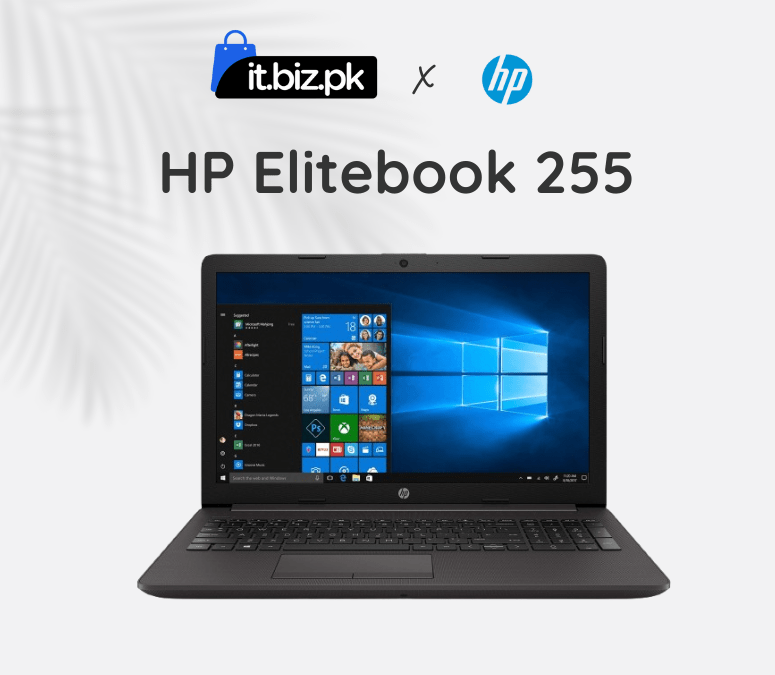
Features
| Brand | HP |
|---|---|
| RAM | 8 GB |
| ROM | 256 GB |
| Processor Type | AMD Ryzen |
| Generation | 5th Gen |
| Screen size | 15.6 inch |
| Screen resolution | Full HD (1920 x 1080) |
| Operating System | Windows 11 |
| Touch Screen | No |
| Camera | 720p HD webcam |
| Storage type | SSD |
| Graphic Card | Yes |
| Condition | Used |
Description
The HP EliteBook 255 is a perfect fit for students and professionals. This laptop is designed for everyday use by professionals, students, and general users. With its reliable performance and features, the EliteBook 255 is an excellent choice for both students and professionals.
Design:
The HP EliteBook 255 laptop has a decent design with a natural silver color that gives it an excellent look. The HP EliteBook 255 provide 1.74 kg weight, so if you are looking for something lighter in weight, then it can be a good choice for students and professionals. The anti-glare display protects your eyes, making it comfortable for long hours of work or study.
HP Laptop Price in Pakistan
This model is available at affordable HP laptop prices in Pakistan, giving good performance and useful features.The HP EliteBook 255 is perfect for everyday use, including typing documents, browsing, watching videos, and helping students with their studies.
Key Features:
Performance:
The HP EliteBook 255 delivers good performance for office work, online classes, business tasks, and daily computing. Its AMD Ryzen processor ensures smooth multitasking, allowing you to run multiple applications such as Microsoft Office, Chrome, Zoom, and light creative software without slowdown.
Storage and Memory:
The EliteBook 255 provides 8GB RAM and 256GB SSD storage. It can even help you to work on multiple tabs of the internet browser smoothly, which can significantly improve your performance. The storage capacity is 256 GB SSD and 8GB RAM which helps you to save heavy games, movies, songs, and different types of data on your device.
Used Laptops:
The EliteBook 255 laptops are available at affordable rates, and checking the used laptop price in Pakistan can help you get the best deal. Before buying, always check the battery, screen, keyboard, RAM, and storage to ensure the laptop works well.
Why You Choose It:
The HP EliteBook 255 is the best laptop in Pakistan for professionals, students, and casual users who need a balance of performance, reliability, and portability. The EliteBook 255 provides a long life battery that lets you work or study for many hours on a single charg .It has a 720p HD webcam, perfect for video calls, online classes, and conference meetings.this laptop price in Pakistan, best laptop price in Pakistan, or a best for study and business.
Frequently Asked questions:
how to check specs of a EliteBook 255?
magma3c –
The laptop runs quietly and stays cool even during extended use.