
HP Printer Price in Pakistan
HP printers range from compact LaserJet models for small offices to colour LaserJet and ink-tank printers. LaserJet MFP models combine print, scan and copy. Compare all printers in Pakistan or read our HP printer guide.
Products
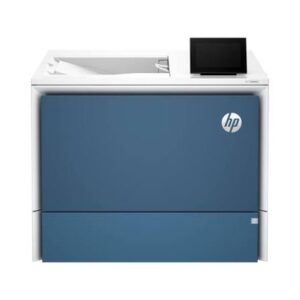
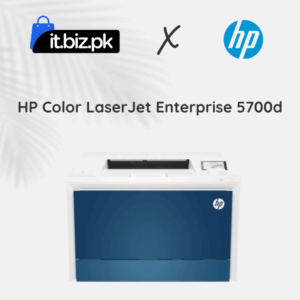
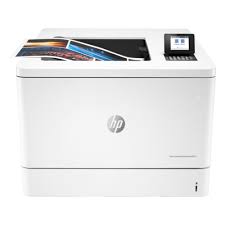
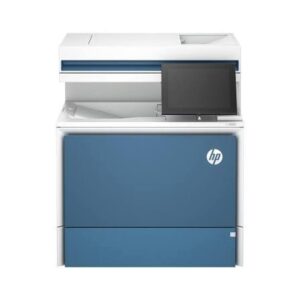
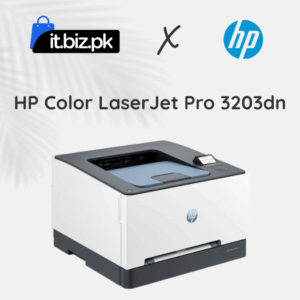
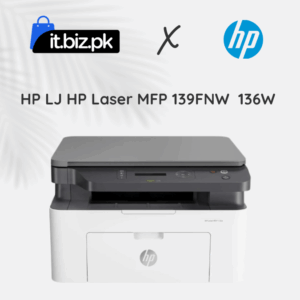
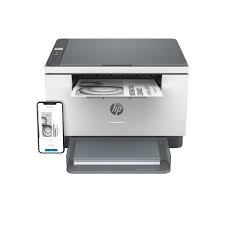
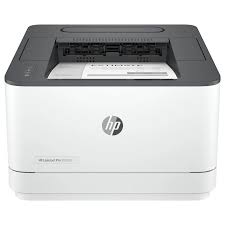
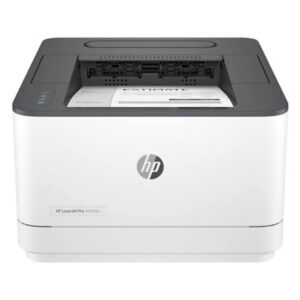
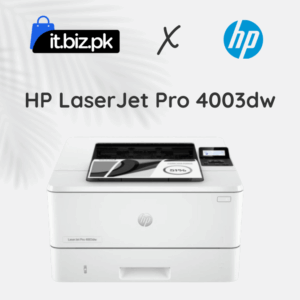
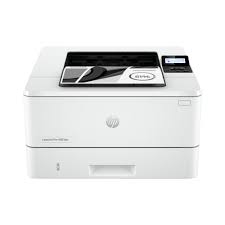
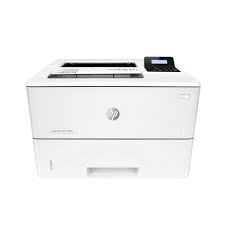
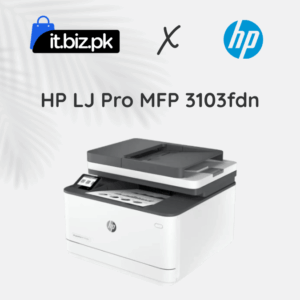
Looking for the best HP printer price in Pakistan? HP offers a wide range of printers for students, home users, offices, schools, shops, and large businesses. Whether you need a printer for documents, school assignments, invoices, reports, or colourful presentations, you can find an HP printer to match your needs.
HP printers are available in different types, including LaserJet, inkjet, Smart Tank, colour laser, and all-in-one models. Each type offers different features and running costs. The right choice depends on how often you print, whether you need colour printing, and whether scanning and copying are important to you.
At IT.BIZ.PK, you can explore HP printers and compare their specifications to find a suitable option for your budget. Check the latest product listings for current prices, availability, and warranty information.
HP Printer Price in Pakistan
The HP printer price in Pakistan depends on the model, printing technology, features, and condition. Basic home printers generally cost less than advanced office and enterprise printers. Wireless connectivity, automatic duplex printing, colour printing, and scanning features can also affect the price. When comparing printers, do not focus only on the initial purchase cost. You should also consider ink or toner prices, maintenance requirements, printing speed, and the number of pages you expect to print each month. For the latest price, check the available HP printer listings on IT.BIZ.PK because prices and stock can change.Popular Types of HP Printers in Pakistan
1. HP LaserJet Printers
HP LaserJet printers use toner to print text and documents. They are popular in offices, schools, shops, and businesses that need clear text and regular printing. Laser printers can be a practical choice for printing invoices, reports, contracts, forms, and other business documents. Many models offer fast printing, while selected versions include wireless or network connectivity. Best for: Offices, students with regular printing needs, shops, and businesses.2. HP Inkjet Printers
HP inkjet printers use liquid ink to produce text and colour images. They can be suitable for home users, students, and people who occasionally print colourful documents or photographs. Before choosing an inkjet printer, check the cost and availability of replacement cartridges. If you print frequently, running costs may become an important part of your decision. Best for: Home use, occasional colour printing, assignments, and everyday documents.3. HP Smart Tank Printers
HP Smart Tank printers use refillable ink tanks instead of traditional small ink cartridges. They are designed for users who want to print regularly while managing ink costs. Depending on the model, Smart Tank printers can provide printing, scanning, copying, and wireless connectivity. They may suit homes, schools, and small offices with regular printing requirements. Best for: Frequent printing, home offices, students, and small businesses.4. HP All-in-One Printers
An HP all-in-one printer combines several functions in one device. Many models can print, scan, and copy, while selected versions also support faxing and wireless printing. These printers can save desk space and make everyday office tasks easier. Before purchasing, confirm which functions are included in the specific model. Best for: Home offices, small businesses, schools, and shared workspaces.5. HP Colour Laser Printers
HP colour laser printers are designed for users who need colour documents and regular office printing. They can be useful for presentations, charts, business documents, and marketing materials. Colour laser printers often have a higher initial price than basic monochrome models. They also use multiple toner cartridges, so compare replacement costs before buying. Best for: Businesses, offices, educational institutions, and professional environments.How to Choose the Best HP Printer
Choosing the right printer becomes easier when you understand your printing needs.Printing Volume
First, estimate how many pages you print each month. If you only print a few documents, a basic printer may be enough. If you print invoices, reports, or assignments every day, consider a model designed for regular use. For businesses with heavy printing workloads, check the recommended monthly page volume and duty cycle.Black-and-White or Colour Printing
A monochrome printer is a good option when you mainly print text documents. It can help keep your setup simple if you do not need colour. Choose a colour printer if you regularly print graphics, presentations, charts, or photographs. Remember to compare the cost of colour ink or toner as well.Print, Scan, and Copy Functions
If you need to scan documents or make copies, an all-in-one printer can be more convenient than buying separate devices. For office use, check whether the printer supports automatic document feeding. This feature can save time when scanning or copying several pages.Wireless and Network Connectivity
A USB printer can work well when one computer handles all printing. A wireless model offers more flexibility for homes and offices where several devices need access. Some office printers also support Ethernet networking, allowing them to connect to a shared business network. Confirm compatibility with your computers, phones, and operating systems.Printing Speed and Quality
Printing speed is commonly measured in pages per minute (PPM). A faster printer can help busy offices complete large jobs more quickly. Resolution is another factor, especially for detailed graphics. For everyday documents, also consider text clarity, paper handling, and the printer's overall reliability.Ink, Toner, and Maintenance Costs
The cost of supplies can affect the total cost of owning a printer. Before buying, check the price and availability of compatible cartridges or toner. Also confirm whether the printer uses a separate drum unit and whether routine maintenance is required. A slightly more expensive printer may offer better value if its running costs suit your printing volume.Which HP Printer Is Best for Your Needs?
Different users need different printer features.- For students: Consider an affordable inkjet or monochrome LaserJet, depending on whether you need colour.
- For home use: An HP DeskJet or Smart Tank model may be suitable for documents and occasional colour printing.
- For small offices: An HP LaserJet or all-in-one printer can handle invoices, reports, and everyday paperwork.
- For frequent printing: Compare HP Smart Tank models and laser printers based on their consumable costs.
- For colour business documents: Consider a colour inkjet or colour laser printer according to your print volume and quality needs.
- For large offices: Look for business or enterprise printers with suitable speed, paper capacity, network connectivity, and workload support.
Why Buy HP Printers from IT.BIZ.PK?
IT.BIZ.PK helps customers explore technology products for personal, educational, and professional use. When selecting an HP printer, compare the available products and choose a model that meets your printing requirements. Before placing an order, check the following details:- Exact HP printer model
- Current price and stock availability
- Printing technology and supported functions
- Ink or toner cartridge compatibility
- USB, Wi-Fi, and Ethernet connectivity
- New or refurbished condition, where applicable
- Warranty coverage and after-sales support
- Delivery arrangements and return policy
Frequently asked questions
Which HP printer is best for a small office?
A monochrome LaserJet MFP with Wi-Fi is usually the most economical choice for text-heavy office printing.