
Philips Monitor Price in Pakistan
Philips monitors (made under licence by MMD/TPV) include office displays, USB-C monitors and Evnia gaming monitors. See all monitors.
Products
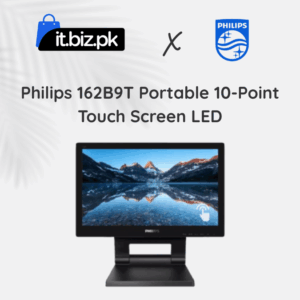
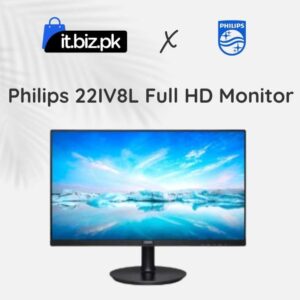
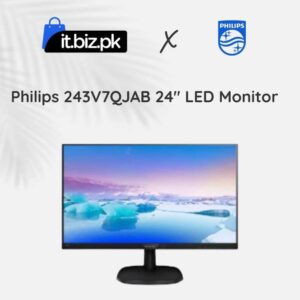
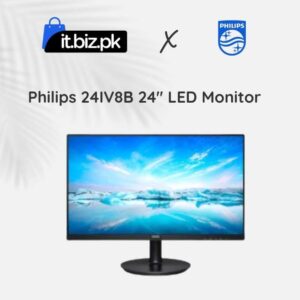
Looking for the Philips monitor price in Pakistan? Philips offers computer monitors for office work, online learning, gaming, entertainment and professional use. You can find different screen sizes, resolutions and refresh rates to match your budget and computing needs.
Whether you need a monitor for your office computer, a gaming setup or a professional workstation, choosing the right display can improve comfort and productivity. Philips monitors include standard Full HD displays, high-refresh-rate gaming monitors, curved screens and selected 4K models.
At IT.BIZ.PK, you can explore monitor options and compare important features before making a purchase. Always check the latest price, warranty and availability before placing an order.
Why Choose a Philips Monitor?
Philips monitors offer a range of features for everyday users and professionals. The right model depends on how you plan to use your computer.Clear Display Quality
A monitor with good resolution can make text, images and videos look sharp. Full HD resolution is suitable for many everyday tasks, while QHD and 4K displays offer more detail for compatible content.Comfortable Viewing
Many Philips monitors include features such as LowBlue Mode and Flicker-Free technology, depending on the model. These features are designed to support a more comfortable viewing experience during long work sessions. However, taking regular breaks and adjusting screen brightness and viewing distance remain important.Options for Gaming
Philips Evnia gaming monitors offer features such as high refresh rates, fast response times and Adaptive Sync on selected models. These features can help deliver smoother motion in compatible games.Modern Connectivity
Depending on the model, Philips monitors may include HDMI, DisplayPort, USB-C or VGA connections. Some models also provide USB hubs, built-in speakers or webcams. Check the available ports before buying to ensure that the monitor works with your computer and other devices.Popular Philips Monitor Models in Pakistan
Philips 221V8L Monitor
The Philips 221V8L is a 21.5-inch Full HD monitor designed for everyday computing. It is suitable for office applications, web browsing, online classes and general home use. Its relatively compact screen makes it a practical option for smaller desks. Before buying, compare its refresh rate, connectivity and warranty with other monitors in the same price range.Philips 241V8B Monitor
The Philips 241V8B is a 24-inch-class monitor that offers Full HD resolution on available versions. It is worth considering for office work, document editing, online meetings and entertainment. A 24-inch display provides a useful balance between screen space and desk size. Check the exact panel type and refresh rate for the version offered by your retailer.Philips Evnia 24M2N3200FQ Gaming Monitor
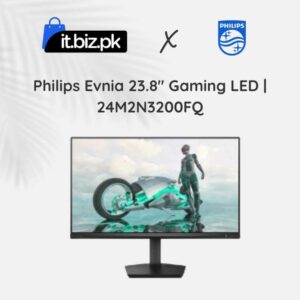
The Philips Evnia 24M2N3200FQ is a gaming monitor with a 23.8-inch Full HD display, Fast IPS technology and a 200Hz refresh rate. Its high refresh rate makes it suitable for gamers who want smoother motion in supported games. Features such as Adaptive Sync can also help reduce visual tearing when compatible with the system. This monitor may also work well for general computer use, making it an option for users who want one display for gaming and everyday tasks.Philips 27E1N1300A Monitor
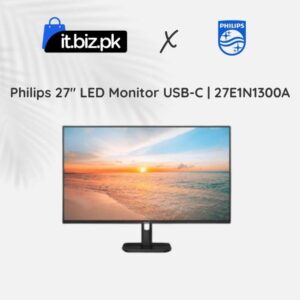
The Philips 27E1N1300A is a 27-inch Full HD IPS monitor with a 100Hz refresh rate and USB-C connectivity. It can suit office professionals, students and home users who want a larger display for multitasking. USB-C can simplify connections with compatible laptops, although supported charging and data features should be checked before purchase.Philips 27E1N1800A 4K Monitor
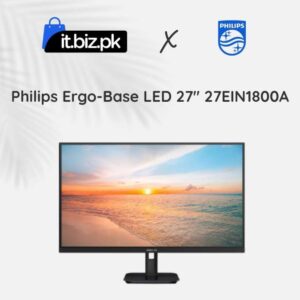
The Philips 27E1N1800A is a 27-inch monitor with 4K UHD resolution of 3840 × 2160 and a 60Hz refresh rate. Its high resolution can provide detailed images for office work, media and compatible creative applications. It may be a suitable choice for users who value image detail over a very high refresh rate.Philips 32E1N3500 Monitor
The Philips 32E1N3500 is listed as a 31.5-inch QHD monitor with 2560 × 1440 resolution and a 100Hz refresh rate. Its larger display provides room for multiple windows, spreadsheets and other work applications. It may suit professionals who need more screen space without moving to an ultrawide display.Philips 34E1C5600HE Ultrawide Monitor
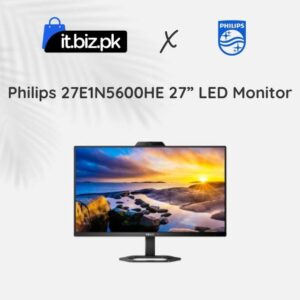
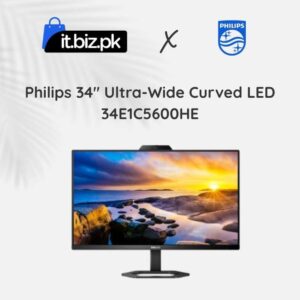
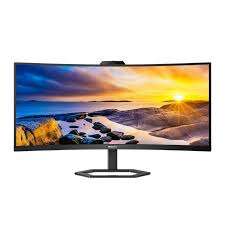
The Philips 34E1C5600HE is a 34-inch ultrawide monitor with a 3440 × 1440 resolution. Selected listings also mention a built-in webcam and additional connectivity features. An ultrawide display can be useful for multitasking, working with large spreadsheets, editing content and managing several applications side by side. Check its connectivity and built-in features against your requirements before purchasing.How to Choose the Right Philips Monitor
1. Select the Correct Screen Size
The best screen size depends on your desk space and daily tasks.- 22 inches: Suitable for basic computing and compact workspaces.
- 24 inches: A popular choice for office work, studying and gaming.
- 27 inches: Offers more room for multitasking and detailed work.
- 32 inches or larger: Suitable for users who want a larger display.
- 34-inch ultrawide: Useful for side-by-side applications and wide timelines.
2. Compare Display Resolution
Resolution affects image detail and the amount of workspace available on screen.- Full HD (1920 × 1080): Suitable for general office work, browsing and gaming.
- QHD (2560 × 1440): Provides additional detail and workspace.
- 4K UHD (3840 × 2160): Offers greater detail for high-resolution content and compatible professional applications.
- Ultrawide QHD (3440 × 1440): Provides a wider workspace for multitasking.
3. Check the Refresh Rate
Refresh rate is measured in hertz (Hz). A standard 60Hz monitor can handle many everyday tasks, while 100Hz or higher can provide smoother scrolling and motion. Gaming monitors with 144Hz, 200Hz or higher refresh rates may be useful for fast-paced games. To benefit fully, your computer must also be capable of producing enough frames per second.4. Understand Panel Types
IPS panels generally offer wide viewing angles and consistent colours, making them useful for office work and many gaming applications. VA panels often provide stronger contrast, which can benefit movie viewing and darker scenes. The best choice depends on your priorities, including colour quality, contrast, response time and budget.5. Review Connectivity and Ergonomics
Check whether the monitor has the ports you need, such as HDMI, DisplayPort or USB-C. If you use a laptop, USB-C may provide a convenient single-cable connection on supported models. Also consider height adjustment, tilt, swivel, VESA mounting and built-in speakers. These features can improve the usability of your workspace.What Affects Philips Monitor Prices in Pakistan?
Several factors can affect the Philips monitor price in Pakistan:- Screen size: Larger displays often cost more.
- Resolution: QHD and 4K monitors may have higher prices than Full HD models.
- Refresh rate: High-refresh-rate gaming displays can cost more.
- Panel technology: Different panel types offer different performance characteristics.
- Extra features: USB-C, webcams, speakers and ergonomic stands can influence pricing.
- Warranty: Local warranty and after-sales support can affect overall value.
- Availability: Import costs, stock levels and retailer promotions can change prices.