
Samsung Display Price in Pakistan
Samsung commercial displays, video walls and monitors are used in retail, offices and control rooms. Our Samsung range includes QB/QH series signage and gaming monitors. See all displays.
Products

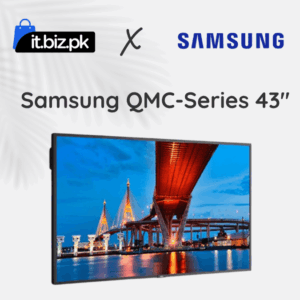
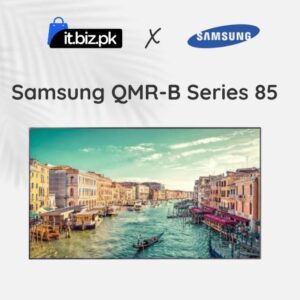

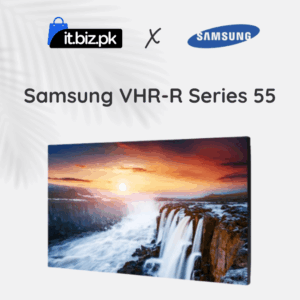
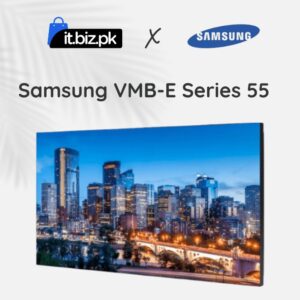
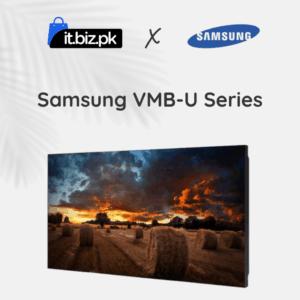
Looking for the Samsung display price in Pakistan? Samsung offers professional display solutions for businesses, educational institutes, retail stores, offices and public spaces. Its range includes digital signage displays, interactive touch screens, video wall displays and professional screens for presentations and advertising.
The right Samsung display can help your business share information, deliver presentations, promote products and improve collaboration. Whether you need a touchscreen for a classroom or a large digital screen for a shopping mall, compare the available models and features before making your decision.
At IT.BIZ.PK, you can explore display options according to your budget, screen size and business requirements. Prices vary based on resolution, brightness, touch functionality, connectivity and installation needs.
Why Choose Samsung Professional Displays?
Samsung displays are designed for different commercial and professional environments. Choosing the right type can help you get better results from your investment.High-Quality Display Technology
Samsung professional displays are available in different sizes and resolutions, including Full HD and 4K UHD models. Higher resolution can make text, graphics and images appear more detailed when the source content supports it. For digital signage, presentations and product advertising, choose a screen that matches your viewing distance and content requirements.Interactive Touchscreen Features
Samsung interactive displays can support touch-based presentations, digital whiteboarding and collaborative learning, depending on the model. These features can be useful in classrooms, training centres, conference rooms and meeting spaces where users need to write, draw or interact with on-screen content.Digital Signage for Businesses
Samsung digital signage displays help businesses show promotional messages, menus, announcements, product information and other visual content. They can be used in retail shops, hotels, restaurants, reception areas, corporate offices and commercial buildings. Select a model designed for the operating hours and installation environment you require.Solutions for Video Walls
Samsung video wall displays are designed for installations that combine multiple screens into one large visual surface. They may be suitable for control rooms, advertising environments, corporate lobbies and monitoring centres. When planning a video wall, consider bezel width, screen alignment, mounting equipment and content management.Popular Samsung Display Types in Pakistan
Samsung Digital Signage Displays
Samsung digital signage displays are designed to show business information and promotional content on a screen. They can be used in shopping centres, restaurants, hotels, educational institutes and corporate environments. Depending on the model, features may include 4K resolution, commercial operating modes and network-based content management. Before buying, check brightness, operating-hour rating, orientation support and available connectivity. These features are important when a screen must run for extended periods.Samsung QBC Series Displays
The Samsung QBC series includes commercial signage displays designed for business environments. Available screen sizes and specifications vary by model. These displays may suit retail advertising, office information screens, reception areas and promotional installations. Compare the display resolution, brightness, supported operating hours and content management requirements before selecting a model.Samsung QMB-T Interactive Displays
Samsung QMB-T displays combine commercial display technology with touchscreen functionality on selected models. They may be suitable for interactive presentations, information kiosks and collaborative business applications. Before purchasing, confirm the touch features, supported software, connections and installation requirements for the exact model.Samsung Flip Pro Interactive Screens
Samsung Flip Pro displays are designed for collaboration in education and business environments. Available sizes include 55, 65, 75 and 85 inches, depending on the model and market availability. These screens can support digital whiteboarding, on-screen writing and presentation activities. They are worth considering for classrooms, training rooms and meeting spaces where several users need to collaborate. Check supported touch points, wireless sharing options, connectivity and compatible software before buying.Samsung Interactive Pro Displays
Samsung Interactive Pro displays are designed to support interactive work and learning. Screen size, available software and connectivity vary by model. A larger display may be useful for a classroom or conference room where participants need to see content from a distance. For smaller meeting rooms, a compact screen may provide enough workspace at a lower cost.Samsung Video Wall Displays
Samsung video wall displays can combine multiple commercial screens to create a large display area. Businesses may use video walls for digital advertising, control rooms, public information and large visual presentations. A successful installation requires careful planning of the screen layout, mounting system, video controller and content resolution. Ask your supplier to confirm the total project cost, including screens, mounting, controllers, cabling and installation.How to Choose the Right Samsung Display
1. Select the Right Screen Size
The ideal size depends on your room, viewing distance and number of users.- 24–32 inches: Suitable for compact signage and selected information displays.
- 43–55 inches: Useful for retail screens, smaller meeting rooms and office information displays.
- 65–75 inches: Suitable for many classrooms, training rooms and larger meetings.
- 85 inches and above: Worth considering for large classrooms, boardrooms and collaborative spaces.
- Multiple-screen video walls: Suitable for installations that require a much larger display area.
2. Compare Resolution and Brightness
Full HD can be suitable for many standard display tasks, while 4K UHD provides greater detail for high-resolution images and smaller text. Brightness is also important. A screen installed near windows or in a brightly lit commercial area may need a higher brightness rating than one used in a controlled indoor environment.3. Decide Whether You Need Touch Functionality
A standard digital signage display may be sufficient for advertising and information sharing. If users need to write, draw, navigate menus or interact with content, consider a touchscreen model. Touch functionality can increase the overall cost, so choose it when it supports your actual requirements.4. Check Software and Connectivity
Review the connections and software supported by the display. Depending on the model, options may include HDMI, USB, network connectivity and wireless content sharing. For business signage, also consider how you will schedule content and manage screens across different locations.5. Consider Installation and Support
Professional displays may require wall mounts, mobile stands, cabling, software setup or specialist installation. Ask the supplier whether the quotation includes delivery, mounting, configuration, staff training and warranty. For multi-screen projects, request an itemized quotation.What Affects Samsung Display Prices in Pakistan?
Several factors influence the Samsung display price in Pakistan:- Screen size: Larger screens generally cost more.
- Resolution: 4K and other advanced display specifications can affect the price.
- Touch functionality: Interactive screens often cost more than standard signage displays.
- Brightness: Higher-brightness commercial displays may have a higher cost.
- Commercial features: Operating-hour ratings, remote management and specialized display functions can influence pricing.
- Installation: Mounts, cabling, controllers and setup may add to the total project cost.
- Warranty and availability: Warranty coverage, import costs and stock can affect the final price.