
Horion Interactive Flat Panel Price in Pakistan
Horion produces interactive flat panels for classrooms and meeting rooms, combining a large 4K touchscreen with built-in Android, whiteboard software and screen sharing. Read our Horion interactive flat panel guide or browse all interactive displays.
Products
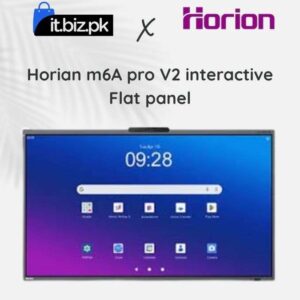
Looking for the latest Horion Interactive Flat Panel price in Pakistan? Horion interactive flat panels are designed for modern classrooms, corporate offices, training centres, and meeting rooms. These smart displays combine touchscreen technology with digital whiteboard tools to make teaching, presentations, and teamwork easier.
Unlike a traditional whiteboard or projector, an interactive flat panel allows users to write, draw, annotate, and interact directly with content on the screen. Depending on the model, it may also offer 4K resolution, wireless screen sharing, built-in software, and video conferencing features.
At IT.BIZ.PK, you can explore Horion interactive displays and compare available models to find a suitable solution for your school, office, or business.
Horion Interactive Flat Panel Price in Pakistan
The price of a Horion interactive flat panel in Pakistan depends on the screen size, model series, operating system, touch technology, memory, and additional features. Smaller displays may suit classrooms and meeting rooms with limited space, while larger panels can provide better visibility in conference rooms, lecture halls, and training centres. Advanced models may include built-in cameras, microphones, speakers, and enhanced collaboration tools. When comparing prices, check the exact model specifications, warranty, installation requirements, and availability. Prices can change depending on the supplier and configuration, so review the latest product listing before making a purchase.What Is a Horion Interactive Flat Panel?
A Horion interactive flat panel is a large touchscreen display that supports digital presentations and interactive collaboration. It can serve as a digital whiteboard, presentation screen, and shared workspace. Teachers can display lessons and write notes directly on the screen. Business teams can review documents, discuss ideas, and present information during meetings. Users can also connect compatible laptops and other devices to share content. These features make interactive flat panels useful for organisations that want to improve communication and reduce dependence on separate presentation equipment.Popular Horion Interactive Flat Panel Screen Sizes
Horion 65-Inch Interactive Flat Panel
A 65-inch interactive flat panel can be suitable for smaller classrooms, meeting rooms, training areas, and office spaces. Its screen size provides room for presentations, digital notes, diagrams, and educational content without requiring a very large installation area. Before choosing a 65-inch model, consider the room dimensions, seating arrangement, viewing distance, and number of people who will use the screen.Horion 75-Inch Interactive Flat Panel
A 75-inch Horion interactive display can provide additional screen space for medium-sized classrooms and corporate meeting rooms. The larger display makes it easier for participants to view presentations, read on-screen text, and follow digital lessons from different positions in the room. This size can be a useful option for schools, colleges, training centres, and businesses that regularly conduct presentations or group discussions.Horion 86-Inch Interactive Flat Panel
An 86-inch interactive flat panel is designed for environments that need a larger viewing area. It can be suitable for lecture rooms, conference halls, large classrooms, and corporate boardrooms. The larger screen can help presenters display detailed diagrams, spreadsheets, presentations, and educational materials to a wider audience. Before purchasing an 86-inch panel, measure the installation area and confirm that the wall mount or stand can safely support the display.Key Features of Horion Interactive Flat Panels
4K Ultra HD Display
Selected Horion models feature 4K Ultra HD resolution, providing detailed images and clear text. This can be useful when displaying presentations, videos, charts, diagrams, and educational material. When comparing models, confirm the native resolution rather than relying only on the product name.Interactive Touchscreen
Touch functionality allows users to write, draw, highlight information, and interact with displayed content. Supported multi-touch technology can also allow more than one person to work on the screen at the same time. This feature is particularly useful for classroom activities, group brainstorming, and collaborative business meetings.Digital Whiteboard
A digital whiteboard allows teachers and professionals to make notes directly on the display. Users can explain concepts, mark important details, organise ideas, and present information visually. Compared with a traditional whiteboard, digital tools may also offer options for saving notes or sharing content, depending on the model and software.Wireless Screen Sharing
Compatible Horion panels may support wireless content sharing from laptops, tablets, or smartphones. This can reduce cable clutter and help presenters switch between devices more conveniently. Check supported devices, operating systems, and connection methods before purchasing.Built-In Audio and Video Conferencing
Selected models include built-in speakers, microphones, or camera systems for video meetings and hybrid collaboration. These features can be useful when employees or students need to communicate with remote participants. Confirm the exact hardware and software requirements of the model you intend to buy.Smart Operating System and Applications
Depending on the model, a Horion panel may include an integrated operating system and applications for presentations, digital writing, and collaboration. Check the operating system version, available memory, storage capacity, and application compatibility to make sure the panel meets your requirements.Benefits of Horion Interactive Flat Panels
Better Classroom Engagement
Teachers can combine written explanations, images, videos, diagrams, and interactive activities on one screen. This can make lessons easier to follow and encourage students to participate.More Productive Business Meetings
Teams can review documents, explain ideas, annotate presentations, and discuss information directly on the display. These features can make meetings more visual and collaborative.Convenient Presentations
An interactive flat panel can bring several presentation functions together in one device. Depending on the model, it may reduce the need for a separate projector, projection screen, and external whiteboard.Support for Hybrid Meetings
Models with suitable conferencing hardware and software can help connect in-person participants with remote colleagues, customers, or students.Flexible Use Across Different Environments
Horion interactive displays can be considered for schools, universities, offices, training centres, conference rooms, and other professional environments where shared visual communication is important.Horion Interactive Flat Panel for Schools and Universities
Educational institutions can use interactive flat panels to support classroom teaching, presentations, group activities, and digital learning. Teachers can display educational videos, explain complex topics with diagrams, and annotate material during lessons. Students can participate in activities directly on the touchscreen where the software and classroom setup support it. When selecting a panel for a school or university, consider screen size, touch performance, ease of use, connectivity, software requirements, and after-sales support.Horion Interactive Flat Panel for Offices and Meeting Rooms
Businesses can use Horion displays for presentations, planning sessions, team discussions, staff training, and video conferences. A suitable interactive panel can provide a shared space for reviewing reports, explaining business strategies, and recording ideas during meetings. For corporate installations, consider the number of meeting participants, room layout, conferencing requirements, network access, and integration with existing laptops and software.How to Choose the Right Horion Interactive Flat Panel
Before purchasing, consider the following points:- Choose the screen size: Select 65, 75, or 86 inches according to room dimensions and viewing distance.
- Check the resolution: Choose a model with the resolution needed for your presentations and visual content.
- Review touch features: Check supported touch points, writing performance, and stylus support.
- Compare connectivity: Review HDMI, USB, network, and wireless sharing options.
- Check smart features: Confirm the operating system, software, memory, and storage.
- Consider conferencing needs: If you hold online meetings, check camera, microphone, and speaker availability.
- Confirm installation and warranty: Ask about mounting, delivery, installation, technical support, and warranty coverage.
- Compare the total cost: Consider the panel price along with any required accessories or installation services.