
HP Monitor Price in Pakistan
HP monitors cover everyday office displays such as the Series 3 and Series 5 lines. They pair well with HP desktops and laptops. Browse all monitors.
Products
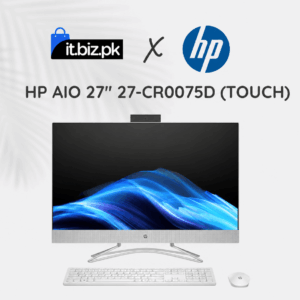
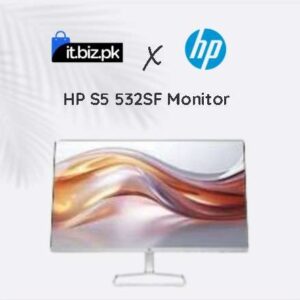
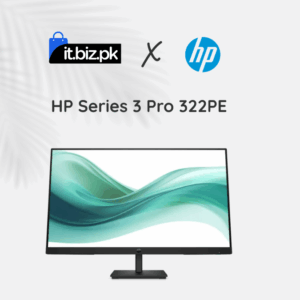
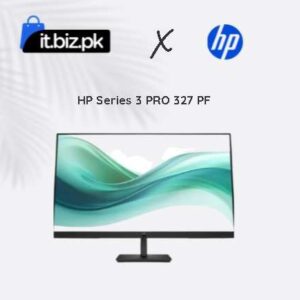
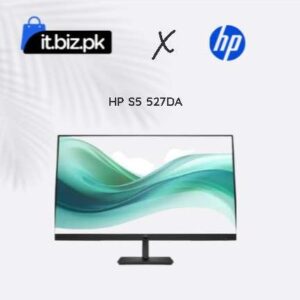
Looking for the best HP monitor price in Pakistan? HP offers a wide range of monitors for home users, students, office workers, designers, programmers, and gamers. Whether you need a display for everyday computer work, business applications, graphic design, or entertainment, HP has different options to suit your needs.
HP monitors come in different screen sizes, resolutions, panel types, and refresh rates. Some models focus on office productivity, while others provide larger screens, better colour performance, or smoother visuals. Choosing the right monitor depends on your budget, available desk space, and how you plan to use it.
At IT.BIZ.PK, you can explore HP monitors and compare their specifications before purchasing. Check the latest product listings to find current prices, available models, and warranty details in Pakistan.
HP Monitor Price in Pakistan
The HP monitor price in Pakistan depends on screen size, resolution, panel technology, refresh rate, connectivity, and product condition. Smaller monitors designed for everyday office tasks usually cost less than larger displays with advanced features. For example, a basic 19.5-inch monitor may suit general computer work, while a 24-inch Full HD monitor can provide more screen space for documents and multitasking. A 27-inch display may be more suitable for users who work with several windows or need a larger viewing area. Before buying, compare the exact model specifications and check whether the product includes an official or local warranty. Prices and availability can change, so always confirm the latest listing on IT.BIZ.PK.Popular HP Monitor Series in Pakistan
1. HP Series 3 and Series 3 Pro Monitors
HP Series 3 and Series 3 Pro monitors are designed for everyday computing and professional work. Depending on the model, they may offer Full HD resolution, adjustable viewing angles, low-blue-light features, and modern connectivity options. These monitors can be suitable for office desks, educational institutions, reception areas, and home workstations. Best for: Office work, students, business applications, and daily computer use.2. HP Series 5 Monitors
HP Series 5 monitors offer modern designs and features for productivity and entertainment. Selected models include Full HD resolution, IPS panels, and refresh rates of up to 100Hz. A 24-inch model may fit a compact workspace, while a 27-inch or larger display can provide more room for multitasking. Check the exact model specifications because features vary across the range. Best for: Home offices, professionals, multitasking, and everyday entertainment.3. HP Series 5 Pro Monitors
HP Series 5 Pro monitors are designed for professional environments where display quality, comfortable working, and business use matter. Depending on the model, they may include Full HD resolution, ergonomic adjustment options, and connectivity suited to office setups. Some versions offer additional features for managing cables and creating a cleaner workstation. Best for: Corporate offices, professional workstations, and business users.4. HP M-Series Monitors
HP M-series monitors are designed for home offices, personal computing, and productivity. Selected models offer slim designs, IPS panels, Full HD resolution, and connectivity options that may include USB Type-C. These features can make an M-series monitor a useful addition to a modern desk setup. Check the available ports and power delivery specifications if you want to connect a laptop using one cable. Best for: Remote workers, home users, and laptop-based workstations.5. HP OMEN Gaming Monitors
HP OMEN monitors are designed for gaming and users who want smooth, responsive visuals. Selected models offer higher refresh rates, fast response times, and gaming-focused features. A higher refresh rate can make motion appear smoother in supported games. For gaming, compare resolution, refresh rate, response time, adaptive sync support, and the graphics capabilities of your computer. Best for: PC gamers, competitive gaming, and high-performance setups.How to Choose the Right HP Monitor
Choosing the right display becomes easier when you understand the features that affect its performance.Screen Size
Screen size determines how much space you have for applications, documents, and entertainment.- 19.5 to 22 inches: Suitable for basic office tasks, small desks, and everyday computing.
- 23.8 to 24 inches: A practical size for office work, study, and general productivity.
- 27 inches: Offers more workspace for multitasking, creative work, and entertainment.
- 31.5 inches or larger: Useful for users who need a large display or prefer viewing more content at once.
Resolution
Resolution affects the sharpness and detail of the image. Full HD, or 1920 × 1080, is a common choice for everyday computing. It works well for documents, web browsing, video streaming, and many office applications. QHD and 4K monitors offer higher resolutions, which can be useful for detailed design work and displaying more content. However, they may cost more and require suitable computer hardware for demanding applications.Panel Technology
HP monitors may use IPS, VA, or other panel technologies. IPS panels generally provide wide viewing angles and consistent colours, making them useful for office work and creative tasks. VA panels typically provide stronger contrast, which can be helpful for viewing darker scenes. The best panel depends on your work, viewing environment, and budget.Refresh Rate
Refresh rate is measured in hertz (Hz) and describes how many times a display refreshes each second. A standard 60Hz monitor is suitable for many office tasks. A 75Hz or 100Hz monitor can provide smoother scrolling and motion. Gaming monitors with higher refresh rates may offer additional benefits when paired with a capable computer.Connectivity
Check which ports are available before buying a monitor. Common options include HDMI, DisplayPort, and VGA on some older or basic models. Selected displays also provide USB ports or USB Type-C connectivity. Make sure the monitor supports the connection available on your computer. If you want to connect a laptop through USB Type-C, confirm that the port supports the video and charging features you require.Eye Comfort and Ergonomics
If you work at a computer for long hours, consider a monitor with low-blue-light features, an anti-glare screen, and suitable brightness controls. An adjustable stand can help you position the screen at a comfortable height. Some models support tilt, height adjustment, or other ergonomic options, while others may require a separate monitor stand.Which HP Monitor Is Best for Your Needs?
The best HP monitor depends on how you plan to use it.- For students: A 22-inch or 24-inch Full HD monitor can be suitable for assignments, online learning, and research.
- For office work: Consider an HP Series 3 Pro or Series 5 monitor with comfortable viewing features.
- For programming: A 24-inch or 27-inch display can provide useful space for code editors, documentation, and browser windows.
- For graphic design: Compare IPS panels, resolution, colour coverage, and colour accuracy.
- For gaming: Look at HP OMEN models and compare refresh rates, response times, and adaptive sync features.
- For home offices: An HP M-series monitor may suit a modern desk setup, particularly when its ports match your laptop.
Why Buy HP Monitors from IT.BIZ.PK?
IT.BIZ.PK helps customers explore computer hardware and accessories for home, office, and professional use. You can compare available HP monitor models and review their specifications before deciding which one suits your setup. Before placing an order, check these important details:- Exact model number and screen size
- Resolution and panel technology
- Refresh rate and response time
- Available ports and connectivity
- New, used, or refurbished condition
- Warranty coverage and terms
- Current price and stock availability
- Delivery arrangements and return policy