
Maverik Interactive Display Price in Pakistan
Maverik interactive displays combine a touchscreen with built-in camera and microphone for classrooms and meetings. See all interactive displays.
Products
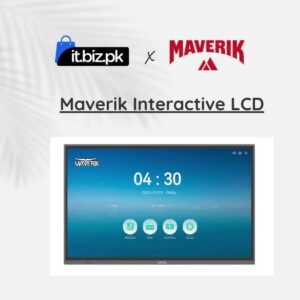
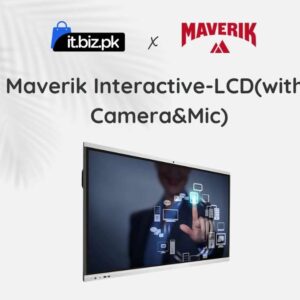
Looking for the latest Maverik Interactive Display Price in Pakistan? Maverik interactive flat panels are designed for schools, colleges, universities, corporate offices, training centres, and conference rooms. These smart displays combine a large touchscreen with high-resolution visuals and interactive features to make teaching, presentations, and teamwork easier.
At IT.BIZ.PK, you can explore IT and display solutions for your business or educational institution. Compare different screen sizes, review the features you need, and select an interactive display that fits your room, budget, and daily requirements.
What Is a Maverik Interactive Display?
A Maverik interactive display is a large touchscreen designed for digital teaching, business presentations, and group collaboration. It works like a digital whiteboard, allowing users to display content, write notes, highlight important information, and interact with digital material directly on the screen. Unlike a traditional projector and whiteboard setup, an interactive flat panel combines the display and touch functionality in one unit. Depending on the model, it may also offer an Android operating system, wireless screen sharing, built-in speakers, a camera, and microphones. These features make Maverik interactive displays a practical option for modern classrooms and professional meeting spaces.Maverik Interactive Display Price in Pakistan by Screen Size
The price of a Maverik interactive display in Pakistan depends on its screen size, hardware, operating system, camera, microphone, touch technology, and included accessories.Maverik 65-Inch Interactive Display
A 65-inch interactive panel can be suitable for smaller classrooms, meeting rooms, training spaces, and offices. It provides a large digital surface for presentations, teaching material, documents, and collaborative activities. Choose this size if your room has limited space or your audience sits relatively close to the screen. Before buying, check the available ports, touch functionality, software, and whether the model includes a camera and microphone.Maverik 75-Inch Interactive Display
A 75-inch Maverik interactive display offers more screen space for larger meetings, classrooms, and training sessions. It can help teachers explain complex subjects and allow business teams to review presentations, charts, and project plans. Some Pro models offer advanced hardware, such as an Android operating system, integrated camera and microphone, and additional memory and storage. Always confirm the specifications of the exact model you plan to purchase.Maverik 86-Inch Interactive Display
An 86-inch interactive display is designed for larger rooms where clear visibility is important. It can be useful in university lecture rooms, corporate boardrooms, conference rooms, and professional training centres. The larger screen gives presenters more room to display multiple documents, diagrams, and other visual content. However, you should measure the installation area and viewing distance before choosing this size.Larger Interactive Display Options
Some suppliers may offer additional sizes for larger institutions and specialized meeting environments. Availability, specifications, and prices vary by model and supplier. Contact the seller to confirm whether a suitable larger Maverik panel is available.Key Features of Maverik Interactive Flat Panels
1. 4K Ultra HD Resolution
Many Maverik interactive panels offer 4K UHD resolution of 3840 × 2160 pixels. This helps display text, diagrams, spreadsheets, images, and videos with clear detail.2. Interactive Touchscreen
Touch functionality lets users write, draw, highlight, and control on-screen content directly. Multi-touch support can allow several participants to interact with the display at the same time, depending on the model.3. Digital Whiteboard
Interactive whiteboard tools make lessons and meetings more engaging. Users can explain ideas visually, annotate documents, and organize information during discussions. Check which whiteboard applications and software features are included.4. Built-In Camera and Microphone
Selected models include a camera and microphone for video meetings and hybrid learning. These features can reduce the need for separate conferencing equipment. Confirm the camera quality, microphone coverage, and compatibility with your preferred meeting platform.5. Android Operating System
Some Maverik models include an Android operating system, allowing users to access supported applications and interactive tools directly on the panel. Specifications differ across product series, so check the operating system version and available memory before buying.6. Wireless Screen Sharing
Wireless screen sharing can make it easier to present content from compatible laptops, tablets, and smartphones. It helps reduce cable clutter and allows team members or teachers to share material more conveniently.7. Multiple Connectivity Options
Depending on the model, available connections may include HDMI, USB, LAN, and wireless connectivity. Check the actual port list to ensure the display works with your existing computers, cameras, and other devices.Benefits of Maverik Interactive Displays
A Maverik interactive display can improve the way people teach, present, and collaborate.- More engaging lessons: Teachers can explain topics using digital notes, images, videos, and diagrams.
- Better teamwork: Team members can share ideas and work together on the same screen.
- Professional presentations: High-resolution visuals help make business reports and presentations easier to follow.
- Convenient online meetings: Compatible models with integrated conferencing hardware can support remote communication.
- Reduced equipment clutter: An interactive panel can replace several separate presentation tools, depending on the setup.
- Reusable digital notes: Supported software can save annotations for later reference.
Where Can You Use a Maverik Interactive Display?
Schools, Colleges, and Universities
Educational institutions can use interactive panels for digital lessons, presentations, group exercises, and classroom discussions. Teachers can annotate learning materials directly on the screen and make lessons more visual.Corporate Offices and Boardrooms
Businesses can use these displays for meetings, planning sessions, presentations, and brainstorming. Teams can review reports, discuss project timelines, and collaborate on shared content.Training Centres
Training providers can display course material, demonstrate software, and explain technical processes using interactive tools.Conference and Video Meeting Rooms
Models with suitable camera and microphone features can support hybrid meetings with remote participants. Check compatibility with the video conferencing platform your organization uses.How to Choose the Right Maverik Interactive Display
Before purchasing, consider these important points:- Screen size: Choose 65 inches for smaller rooms, 75 inches for medium-sized spaces, or 86 inches for larger rooms, based on viewing distance and audience size.
- Resolution: Consider 4K UHD if you need clear text, detailed diagrams, and high-quality presentations.
- Touch points: Check the number of simultaneous touch points if several people will use the screen together.
- Operating system: Confirm whether you need Android features or plan to connect a Windows computer.
- Camera and microphone: Select a model with suitable conferencing hardware if you regularly conduct online meetings.
- Connectivity: Make sure the display supports your existing devices and network requirements.
- Installation: Check wall-mounting options, trolley compatibility, power requirements, and installation costs.
- Warranty and support: Confirm the warranty terms, after-sales service, and availability of replacement accessories.