
Microsoft Surface Laptop Price in Pakistan | IT.BIZ.PK
Microsoft Surface laptops are premium Windows devices with high-resolution touch displays and slim aluminium designs. See all laptops.
Products
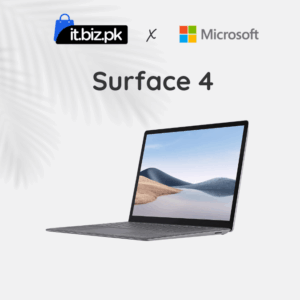
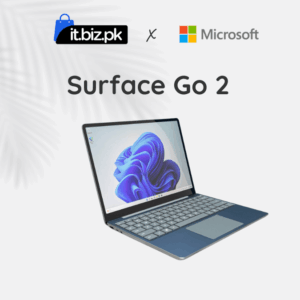
Looking for the latest Microsoft Surface Laptop Price in Pakistan? Microsoft Surface laptops are known for their slim design, touchscreen displays, comfortable keyboards, and smooth performance. They are suitable for students, office professionals, business owners, and people who need a portable laptop for everyday work.
At IT.BIZ.PK, you can explore laptops and IT products for different budgets and needs. Before choosing a Microsoft Surface laptop, compare its processor, RAM, SSD storage, display size, battery condition, and warranty. These details help you select the right model for your work or studies.
Microsoft Surface Laptop Price in Pakistan by Model
The price of a Microsoft Surface laptop depends on its generation, processor, memory, storage, screen size, and condition. Newer models with advanced processors usually cost more than older models. Used and refurbished devices may have lower prices, but their condition and battery health require careful checking.Microsoft Surface Laptop 7 Price in Pakistan
The Surface Laptop 7 is a modern option for people who want a lightweight laptop with current hardware and a premium design. Selected configurations use Qualcomm Snapdragon X Plus or Snapdragon X Elite processors. Depending on the version, you may find a 13-inch, 13.8-inch, or 15-inch display, along with different RAM and SSD options. Some models also feature a high-refresh-rate touchscreen and Windows 11. The Surface Laptop 7 can suit professionals, students, remote workers, and users who regularly work with documents, web applications, video calls, and multiple browser tabs. Check application compatibility before choosing a Snapdragon-based model, especially if you rely on older business software or specialized Windows applications.Microsoft Surface Laptop 5 Price in Pakistan
The Surface Laptop 5 is another option for users who prefer a traditional Windows laptop with a touchscreen. Depending on the configuration, it may include a 12th-generation Intel Core i5 or Core i7 processor, 8GB or 16GB RAM, and SSD storage. This model can be useful for office applications, online meetings, research, presentations, and general productivity. Higher-memory configurations may be more suitable for heavier multitasking. When comparing prices, confirm the processor generation, screen size, RAM, storage, and whether the laptop is new or used.Microsoft Surface Laptop 4 Price in Pakistan
The Surface Laptop 4 is worth considering if you want a premium-looking laptop for everyday use. It was offered with selected AMD Ryzen and Intel Core processors, depending on the size and configuration. It can handle common tasks such as web browsing, email, document editing, online classes, and office work. However, its age means that condition, battery life, and software support should be checked carefully when buying a used unit.Microsoft Surface Laptop 3 Price in Pakistan
The Surface Laptop 3 is an older model that may appeal to budget-conscious buyers. It was available in different configurations, including Intel processors and selected AMD-powered versions. It can be suitable for basic productivity when the hardware is in good condition. Before buying, test the touchscreen, keyboard, ports, battery, charging system, and SSD. Also confirm that the installed operating system meets your security and software requirements.Key Features of Microsoft Surface Laptops
1. Premium and Portable Design
Microsoft Surface laptops feature a clean, modern design that is easy to carry between home, office, university, and meetings. Their slim profile makes them a practical choice for users who travel or work in different locations.2. Touchscreen Display
Many Surface Laptop models include a touchscreen that lets you interact directly with the display. This is useful for scrolling, navigating applications, and working with supported touch-based tools. Screen size and resolution vary by generation. Compare these specifications if you frequently work with spreadsheets, documents, images, or multiple windows.3. Intel and Snapdragon Processors
Different Surface generations use different processors. Older models may use Intel Core or AMD Ryzen chips, while newer Surface Laptop 7 configurations include Snapdragon X Plus and Snapdragon X Elite options. Choose a processor based on your software, workload, and budget. For Snapdragon models, verify that your essential applications and peripherals work correctly.4. RAM and SSD Storage
RAM affects how comfortably a laptop handles multiple open applications. SSD storage provides space for Windows, software, documents, photos, and other files. For general work, 8GB RAM may be sufficient for lighter tasks, while 16GB or more can provide greater flexibility for multitasking. Choose storage based on your files and software needs, and confirm whether the configuration offers upgrade options before purchasing.5. Battery Life and Portability
Surface laptops are designed for mobile productivity, but actual battery life varies by model, workload, settings, and battery condition. If you are buying a used device, ask about battery health and test how long it runs away from the charger.6. Windows and Productivity Applications
Surface laptops support Windows-based productivity workflows, although supported operating systems and application compatibility depend on the model. They can be used for office work, web applications, online meetings, learning, and everyday computing.Which Microsoft Surface Laptop Is Best for You?
The best model depends on how you plan to use your laptop.- For students: Consider a lightweight model with enough RAM and SSD storage for online classes, research, and assignments.
- For office work: Choose a configuration that comfortably handles email, spreadsheets, documents, presentations, and video calls.
- For business professionals: A newer model with 16GB RAM can be a practical choice for multitasking and frequent travel.
- For everyday use on a budget: An older Surface Laptop may offer value if its battery, screen, keyboard, and software support are suitable.
- For demanding applications: Check the exact processor, RAM, graphics capabilities, and compatibility with your professional software before buying.
What to Check Before Buying a Microsoft Surface Laptop
Before ordering from any retailer, review these important points:- Exact model: Confirm whether you are buying a Surface Laptop 3, 4, 5, or 7.
- Processor: Check the complete processor name and generation.
- RAM: Select enough memory for your normal workload.
- SSD capacity: Compare 256GB, 512GB, and 1TB options according to your storage needs.
- Display: Verify the screen size, resolution, touchscreen functionality, and physical condition.
- Battery health: Ask about battery performance, particularly for used and refurbished devices.
- Keyboard and ports: Test all keys, charging connections, USB ports, and wireless connectivity.
- Warranty: Confirm the warranty provider, coverage period, and return policy.
- Windows compatibility: Check operating system support and software compatibility for your chosen model.