
LED, Monitor & Interactive Display Price in Pakistan
Office and gaming monitors, commercial displays, video walls and interactive flat panels from ViewSonic, NEC, Samsung, BenQ, Dell and more.
Products
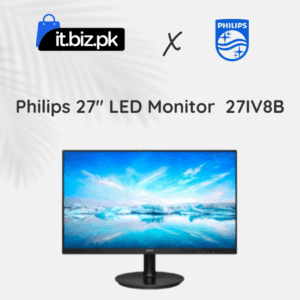
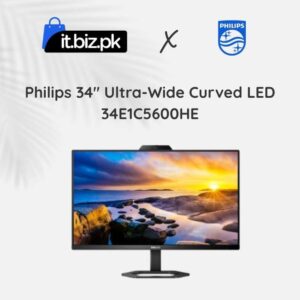
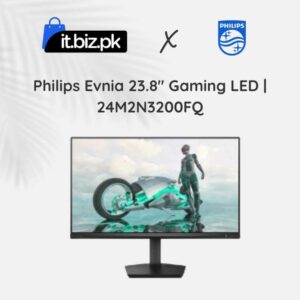
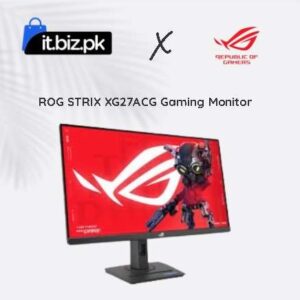
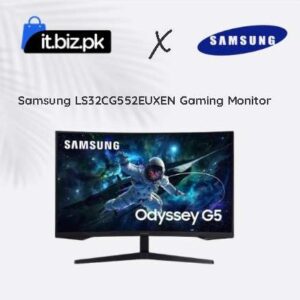
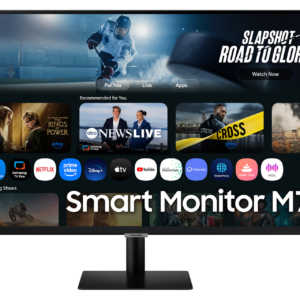





Interactive displays are becoming an important part of modern classrooms, offices and business environments. These smart screens make teaching, meetings and presentations easier. Users can write, draw, open documents, share screens and control content directly through the touchscreen.
What Is an Interactive Display?
An interactive display is a large digital touchscreen that allows users to control content with their fingers or a compatible pen. It works like a digital whiteboard and presentation screen. Unlike a regular LED TV, an interactive display supports touch functions. Teachers can write notes, students can solve questions, and office teams can edit documents during meetings. Most modern interactive displays offer features such as:- 4K UHD screen resolution
- Multi-touch support
- Digital whiteboard software
- Built-in speakers
- Android operating system on selected models
- Wireless screen sharing
- HDMI, USB and USB-C connectivity
- Screen annotation tools
- Optional Windows OPS computer support
Interactive Flat Panel Price in Pakistan
Interactive flat panels are available in different screen sizes. The right size depends on the room, viewing distance and number of users. Here are some general price examples from online listings:| Screen size | Example price range |
|---|---|
| 55-inch | Rs. 399,999–434,999 |
| 65-inch | Rs. 399,900–575,000 |
| 75-inch | Rs. 491,990–953,000 |
| 86-inch | Rs. 659,990–1,065,000 |
Popular Interactive Display Brands in Pakistan
Several international brands offer interactive screens for schools, offices and meeting rooms.ViewSonic Interactive Displays
ViewSonic is a well-known brand in the display market. Its ViewBoard series offers interactive screens for classrooms, offices and training centres. Popular models include the ViewSonic IFP6533, IFP6534, IFP7534, IN6505-C, IN7505-C and IN8605-C. Depending on the model, these displays offer 4K resolution, multi-touch technology, Android features and wireless presentation options.BenQ Interactive Displays
BenQ offers interactive displays for education and business environments. Its products are designed to support digital teaching, presentations and group collaboration. Popular models include the BenQ RE6501, RE7501, RM6502K, RM7502K, RM7503 and RM8603. Some models include digital whiteboard tools, eye-care features and wireless connectivity.Samsung Interactive Displays
Samsung offers professional display solutions for businesses and educational institutions. Its interactive screens support digital collaboration and presentations. The right model depends on screen size, touch functionality and available software features.LG Interactive Displays
LG provides large-format displays for professional and educational environments. Its interactive display solutions can support presentations, group activities and digital communication. Check the exact model specifications before choosing an LG interactive screen.Specktron Interactive Displays
Specktron offers interactive display solutions for schools, universities and business environments. Its products are designed for digital learning and professional collaboration. Compare screen size, touch features, connectivity and warranty when selecting a model.Types of Interactive Displays
1. Interactive Flat Panel Displays
Interactive flat panels are large touchscreen screens that combine display and whiteboard functions. They are widely used in classrooms, meeting rooms and training centres. They usually offer high-resolution screens, built-in software and multiple connectivity options.2. Interactive Smart Boards
Interactive smart boards allow teachers and presenters to write, draw and control digital content. They make lessons and presentations more engaging. Some systems use a dedicated touchscreen panel, while others use a projector-based setup.3. Interactive LED Displays
Interactive LED displays combine large digital screens with touch functionality. They can be used for presentations, teaching and collaboration. Always confirm that a specific LED display supports touch input because not every commercial LED screen is interactive.4. Interactive Conference Room Displays
These displays are designed for business meetings and professional presentations. They may support wireless screen sharing, video conferencing and document collaboration. They are useful for companies that want to improve communication between team members.How to Choose the Best Interactive Display
Before buying an interactive display, compare its specifications and features.Screen Size
Screen size is one of the most important buying factors.- 55-inch: Suitable for small meeting rooms and compact classrooms.
- 65-inch: A practical option for standard classrooms and small offices.
- 75-inch: Suitable for larger classrooms and conference rooms.
- 86-inch: Better for large meeting rooms and training centres.
- 98-inch: Useful for large halls and professional presentation spaces.
Display Resolution
Choose a 4K UHD display if you need clear text, detailed images and sharp presentations. A higher resolution can improve the viewing experience, especially on larger screens.Touch Technology
Check the number of supported touch points. Multi-touch technology allows several users to interact with the display at the same time. This feature is useful for classroom activities and group work.Operating System
Many modern interactive displays include an Android operating system. Some models also support Google services or optional Windows OPS computers. Check the operating system version, available applications and software support before buying.Connectivity
A good interactive display should offer useful connection options, such as:- HDMI
- USB-A
- USB-C
- Ethernet or LAN
- Wi-Fi
- Bluetooth on supported models
Warranty and Installation
Always confirm the warranty period and local support. Also check whether the price includes a wall mount, installation, cables, accessories and user training.Benefits of Interactive Displays for Schools and Offices
Interactive displays can improve the way people learn and work. Better classroom learning: Teachers can show videos, presentations, diagrams and educational applications on one large screen. Easy collaboration: Multiple users can write and work on the same screen. Paperless presentations: Digital whiteboard tools reduce the need for traditional boards and printed material. Improved meetings: Teams can share screens, explain ideas and make changes during presentations. More engaging communication: Touch controls and multimedia content can make information easier to understand.Why Buy Interactive Displays from IT.BIZ.PK?
IT.BIZ.PK helps customers explore technology products and compare different solutions in Pakistan. When selecting an interactive display, compare the brand, screen size, resolution, touch technology, operating system and connectivity. These details can help you choose a product that suits your classroom, office or conference room. Whether you need a smart board for teaching or a large interactive screen for business meetings, compare available models and confirm the latest price before purchasing.Frequently asked questions
What size monitor is best for office work?
A 24-inch Full HD or 27-inch QHD monitor is the most comfortable size for daily office work.
What is an interactive flat panel?
A large touchscreen display (usually 65–86 inches) with built-in software for writing, presenting and video calls, used to replace projectors and whiteboards.
Do you have 32-inch and 65-inch screens?
Yes – use the Screen Size filter to see all available sizes and current prices.